







 Garantía de entrega


SKU/Artículo: AMZ-B0BG4TR4JV
Easythreed
Easythreed X1 FDM Mini 3D Printer for Beginners, Your First Entry-Level 3D Printer, High Printing Accuracy, New Upgraded Extruder Technology, Printing Volume 100X100X100MM…
Detalles del producto
Disponibilidad:
Fuera de stock
Fuera de stock
Peso con empaque:
1.45 kg
1.45 kg
Devolución:
No
No
Condición
Nuevo
Nuevo
Producto de:
Amazon
Amazon
Viaja desde
USA
USA
Sobre este producto
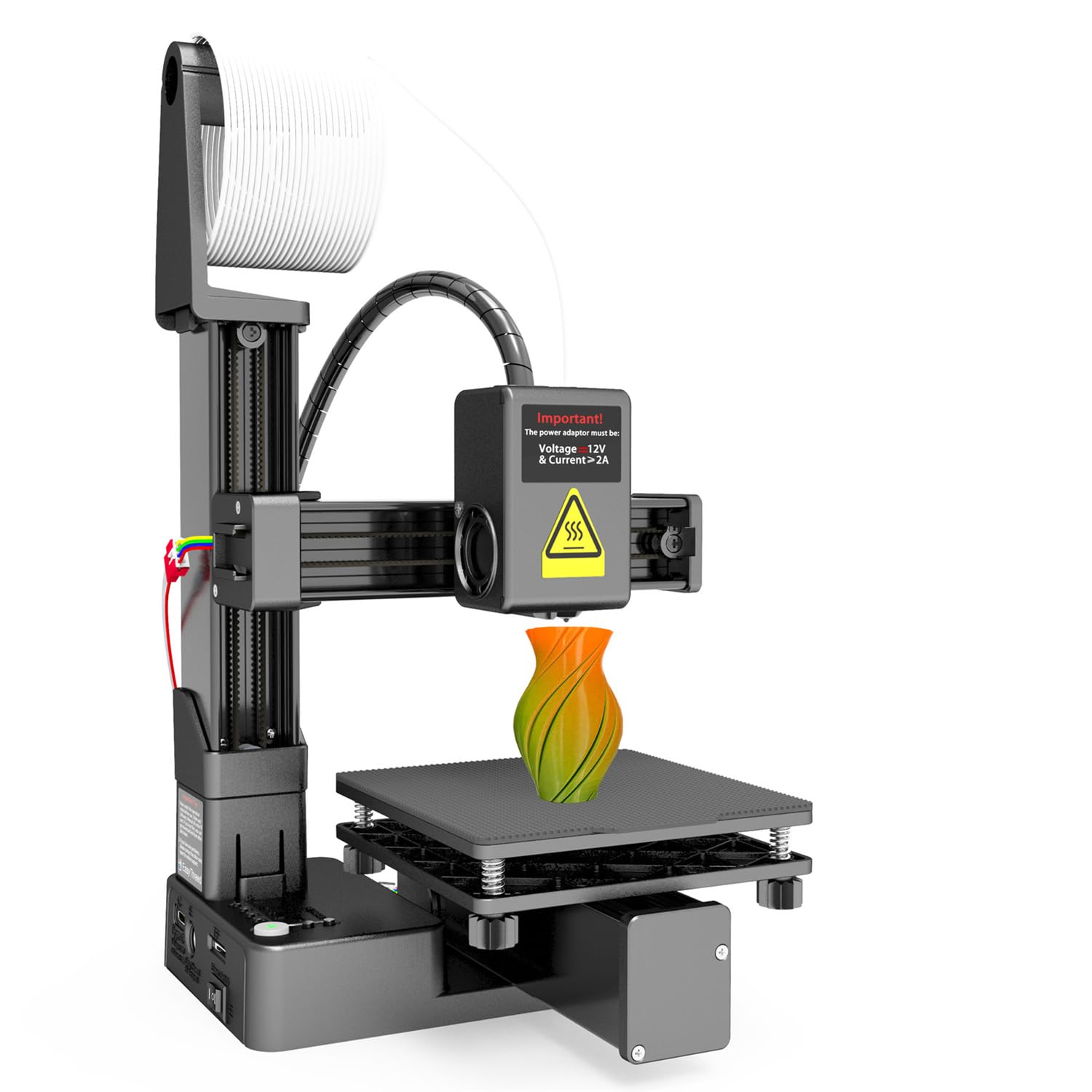
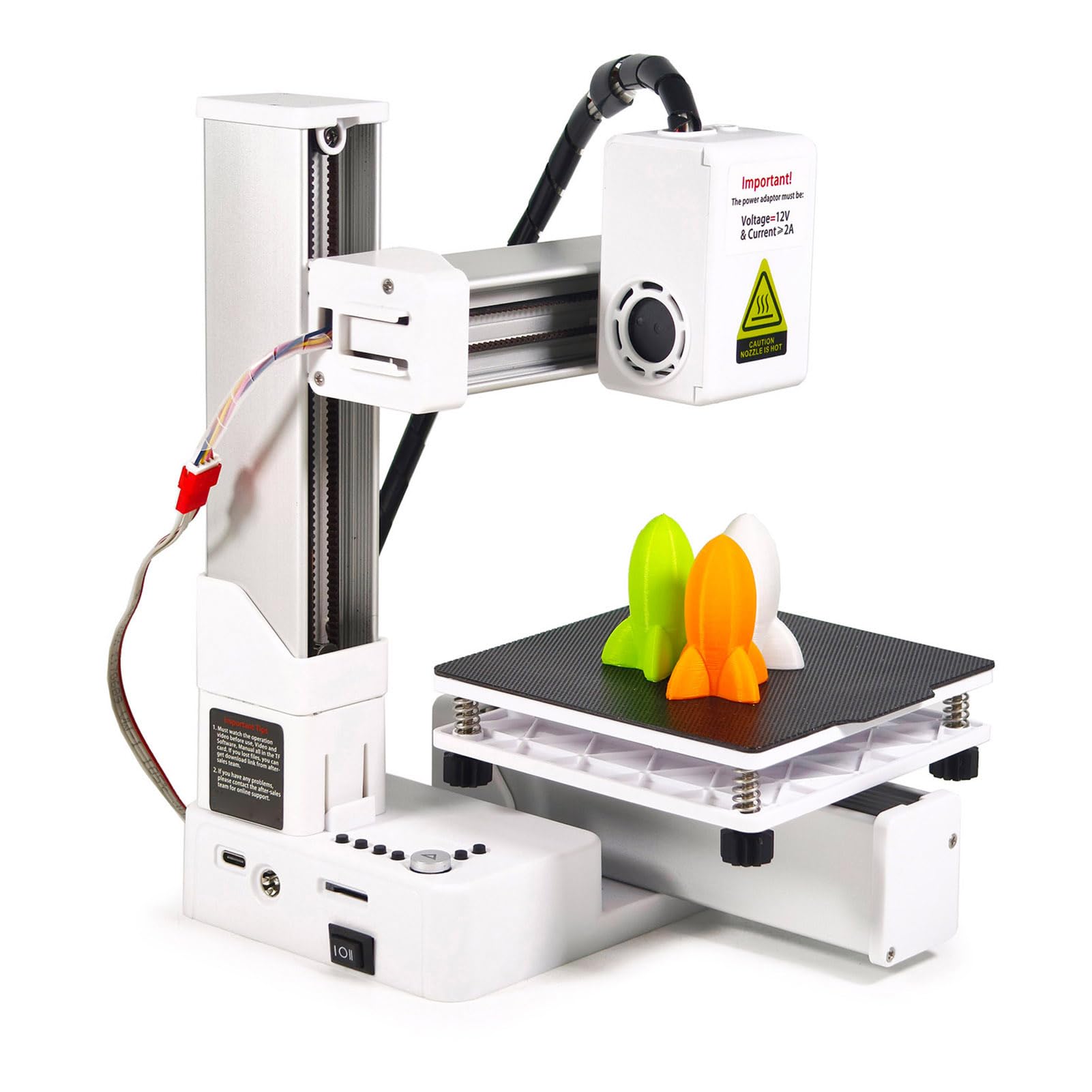
- 1.Easythreed commenced operations in 2015 with their unique and strong Research and Development initiatives.Easythreed,which has annexed an element position by pioneering research and development in 3D Desktop printing industry,develop some of most cost effective and productive 3D printing technologies,software and consumables Brand:Easythreed Model Name:X1 Print Technology:FDM Building Size:100x100x100mm Machine Size:245x210x205mm Packing Size:260x260x140mm Available Color:Black Number of Nozzle:1 Nozzle Diameter:0.4mm Filament:PLA DIA of Filament:1.75mm N.W/G.W:1.3KG/1.85KG Extruder Temp:180℃-230℃ Building Platform:Removable Print Speed:10-20mm/s Layer Thickness:0.1-0.3mm Slice Software:Easyware, CURA, S3D Printing Accuracy:0.1-0.3mm Operating Panel:FOUR-KEY OPERATION File Format:Input:.Stl,Output:.gcode Support OS:Windows XP/7/8/10(32 bit/64 bit) IOS(CURA) Power:Input:110V-240V 50/60HZ Output:12V,60w Product list 1 x NANO 3D Printer 1 x Power Cable 1 x USB Cable 1 x TF Card 1 x Card Reader 1 x User Manual 1 x Scraper 1 x Cross Screwdriver 10m PLA Filament 1 x Filament Holder Set Included: Software manual video Accessories inside TF card

Fuera de stock
Selecciona otra opción o busca otro producto.
Conoce más detalles
✪【Easy installation and simple operation】: For beginners, if you don't know how to use 3D slicing software, you can directly download the model file (Gcode file) to the TF card, insert it into the printer, and start printing. Press the "+" button to put the material in. If you need to replace or remove the material, press the "-" button and wait for a while to pull it out. After the material is put in, press the play button to start printing. The X1 3D printer is also suitable for children, but it needs to be done under the guidance of parents. ✪【Important steps】: Leveling is the most important part of using this printer. Press the home button to start leveling, when the nozzle touches the magnetic plate, disconnect the power and start leveling. If the printer is not leveled properly, the magnetic plate may be damaged by being squeezed by the nozzle. If the nozzle is too far from the magnetic plate, the printed model will not stick to the magnetic plate. Please watch the leveling manual or video carefully ✪【HIGH PRECISION PRINT HEAD】: 3D printer's nozzle uses a professional all-metal nozzle to ensure the best printing temperature and minimize the risk of printing errors. In addition, the printers kit has a layer resolution of up to 0.05 mmr, guarantees the accuracy of the print model. Dual fans provide better heat dissipation for faster and more even modeling.(Note: This mini 3D printer doesn't have the Resume Print Function, if there is a power failure it will print from the beginning .) ✪【FAST HEATING AND PRINTING】: X1 printers machine are much easier to use for beginners. It comes with a unique key system that allows you to start, stop and easily control the printing process. The nozzle is heated evenly, it only takes 5 minutes, and the temperature of the nozzle can reach 180 degrees, which can meet the temperature requirements of the PLA material pressure. (Do not touch the nozzle with your hands, if the nozzle has excess filaments, please remove it with the help of other tools) ✪【After-sale service】All Easythreed printers support one-year warranty and provide lifetime technical support. If you have any problems after receiving the product, including product damage caused by the shipping process, you can contact us for a free replacement.
Compra protegida
Disfruta de una experiencia de compra segura y confiable
![]() Garantía de entrega
Garantía de entrega
Con Tiendamia todas tus compras cuentan con Garantía de Entrega o devolución total de tu dinero.
Compras 100% seguras y garantizadas, para que pidas lo que sueñas y lo recibas del mundo a tu puerta.
Saber más.
Visa

Mastercard

American Express

 Tienes garantía de entrega