





 Garantía de entrega






SKU/Artículo: AMZ-B0GGCSD7F3
HP
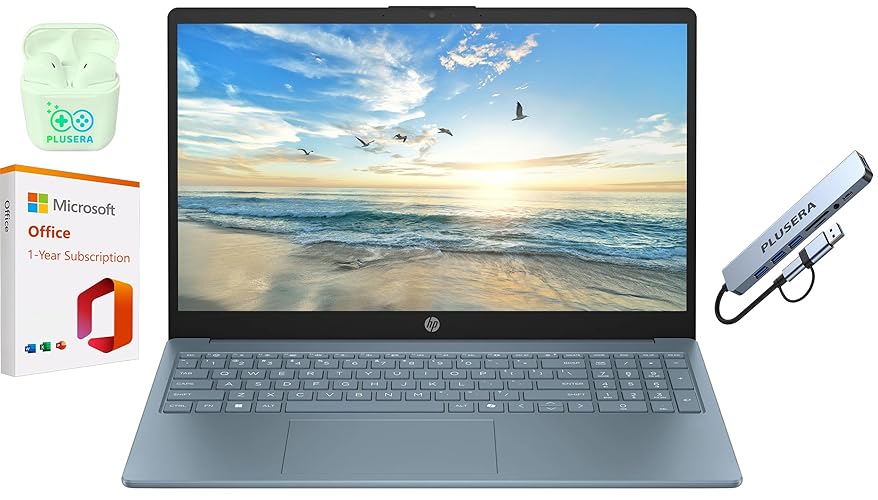
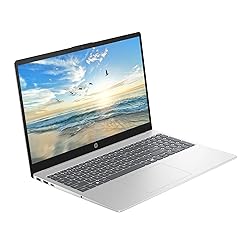
HP 15.6" Business Laptop with Microsoft Office 365, 1.1TB Storage (128GB UFS + 1TB OneDrive), 16GB RAM, Quad-Cores Intel Processor, Windows 11, PLUSERA Earphones & 8-in-1 Hub Included, Natural Silver
Capacity:
16GB RAM
Color:
Natural Silver
Detalles del producto
Disponibilidad:
En stock
En stock
Peso con empaque:
2.24 kg
2.24 kg
Devolución:
Sí
Sí
Condición
Nuevo
Nuevo
Producto de:
Amazon
Amazon
Viaja desde
USA
USA
Sobre este producto
- To meet the advertised specifications, the original factory seal is opened by our professional engineers for upgrade purposes. This product includes a 1-year warranty provided by Smartisan Tech. This laptop is equipped with the powerful Intel N200 processor, along with generous RAM and Storage. Enjoy effortless multitasking on its 15.6" HD LED display with an integrated camera. This laptop is designed with additional features to cater to your specific needs. Numeric keypad. Camera privacy shutter. The extended battery life ensures you can stay focused for longer periods. Stay connected with ample ports for all your devices. Built to support your workflow, whether at home or on the go. Experience the enhanced security and performance of Windows 11, with fast boot times and responsive operations.
S/ 3,529.86
55% OFF
S/ 1,604.48
IMPORT EASILY
By purchasing this product you can deduct VAT with your RUT number
S/ 3,529.86
55% OFF
S/ 1,604.48
 Llega en 5 a 10 días hábiles
con envío
 Tienes garantía de entrega
Conoce más detalles
【Processor】Intel N200 (4 cores, 4 threads, Max Boost Clock Up to 3.7Ghz, 4MB Cache) with Intel UHD Graphics. Your always-ready experience starts as soon as you open your device. 【Display】This laptop has a 15.6-inch LED display with 1366 x 768 (HD) resolution and vivid images to maximize your entertainment. 【Exceptional Storage Space】Equipped with DDR4 RAM and UFS, runs smoothly, responds quickly, handles multi-application and multimedia workflows efficiently and quickly. 【Tech Specs】1 x USB-C, 2 x USB-A, 1 x HDMI, 1 x Headphone/Microphone Combo Jack, WiFi. Bluetooth. Windows 11, 1-Year Microsoft Office 365, Numeric Keypad, Camera Privacy Shutter. 【Switch Out of S Mode】To install software from outside the Microsoft Store, you’ll need to switch out of S mode. Go to Settings > Update & Security > Activation, then locate the "Switch to Windows Home" or "Switch to Windows Pro" section. Click "Go to the Store" and follow the on-screen instructions to complete the switch.
Compra protegida
Disfruta de una experiencia de compra segura y confiable
![]() Garantía de entrega
Garantía de entrega
Con Tiendamia todas tus compras cuentan con Garantía de Entrega o devolución total de tu dinero.
Compras 100% seguras y garantizadas, para que pidas lo que sueñas y lo recibas del mundo a tu puerta.
Saber más.
Visa

Mastercard

American Express

