









 Garantía de entrega





SKU/Artículo: AMZ-B0FD9VR194
GuliKit
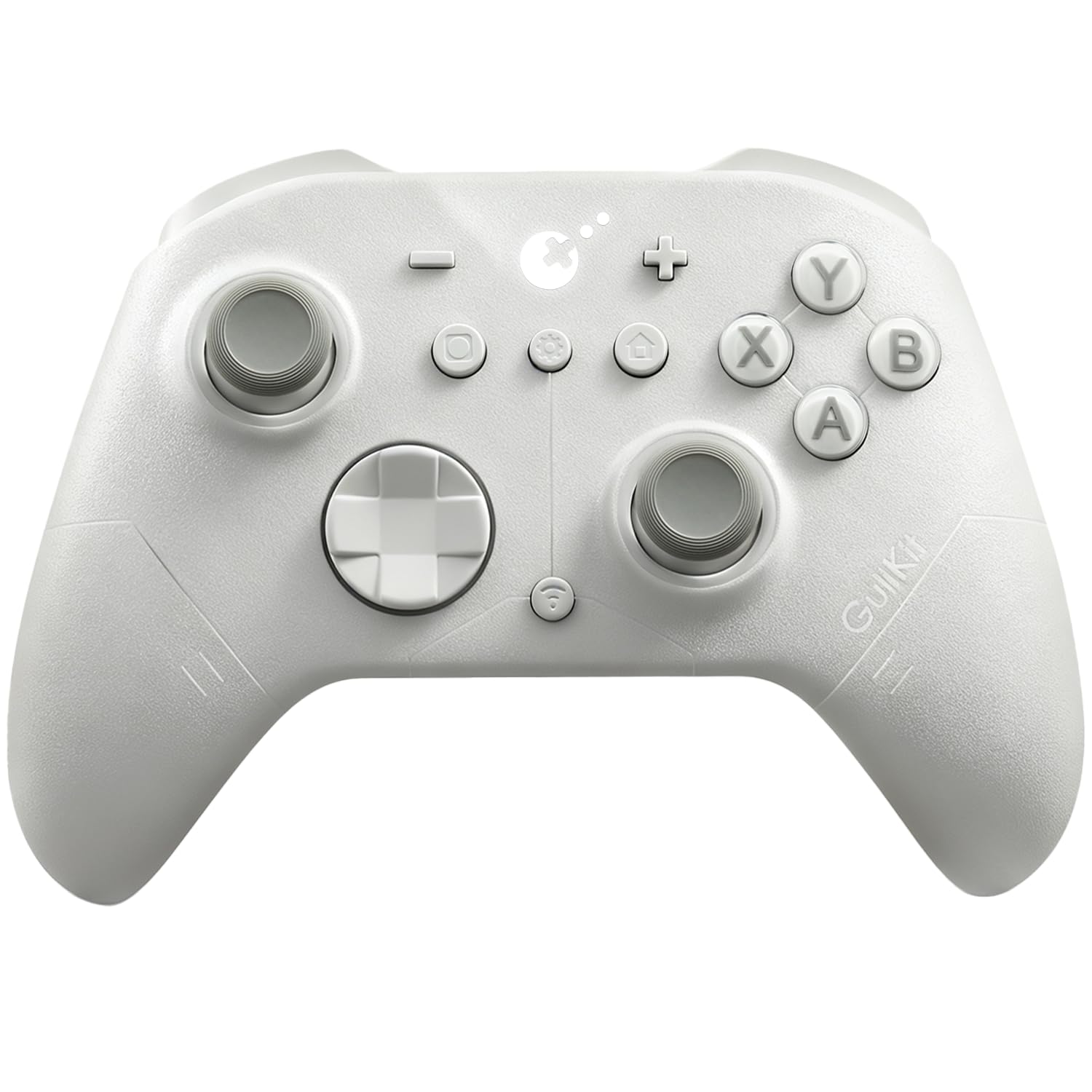
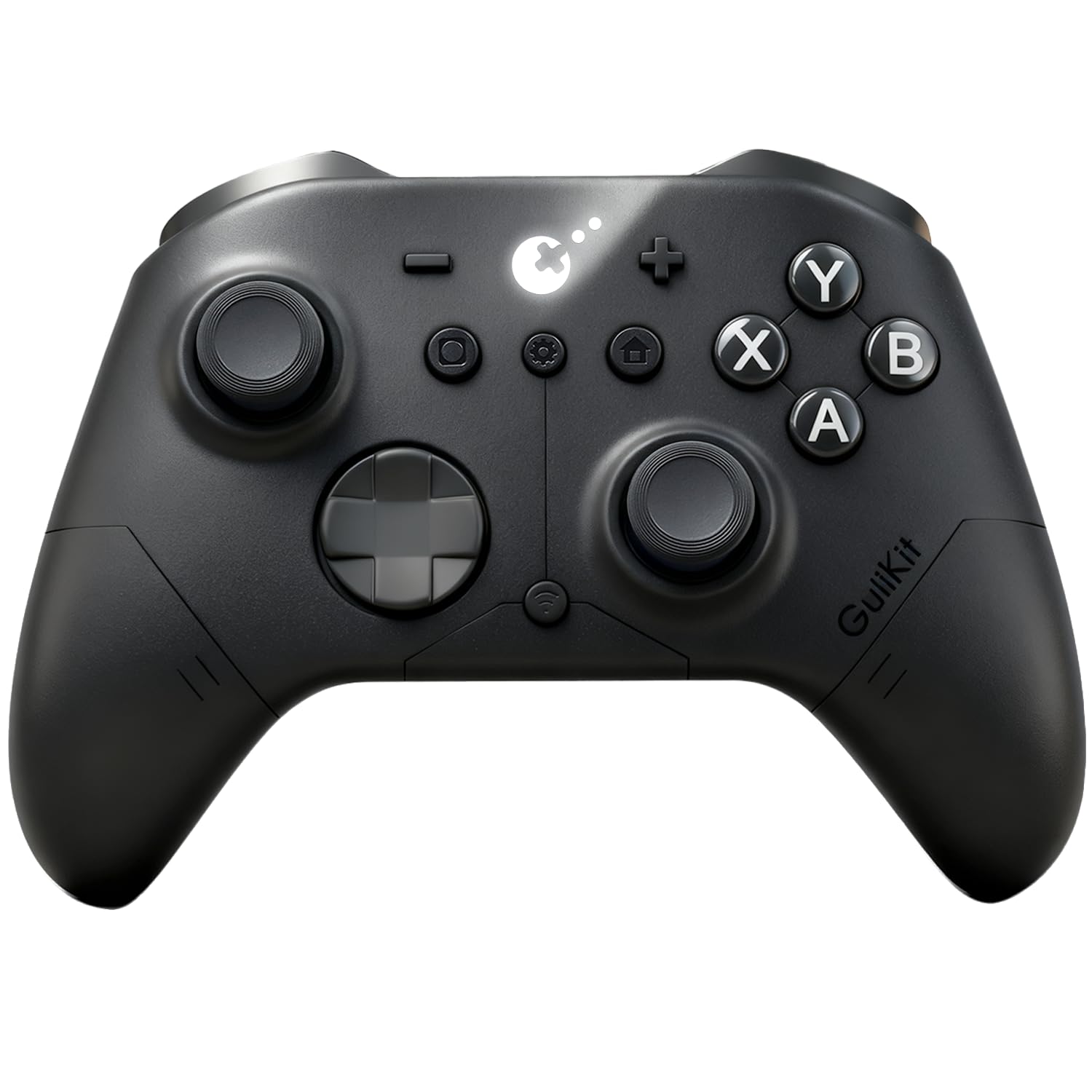
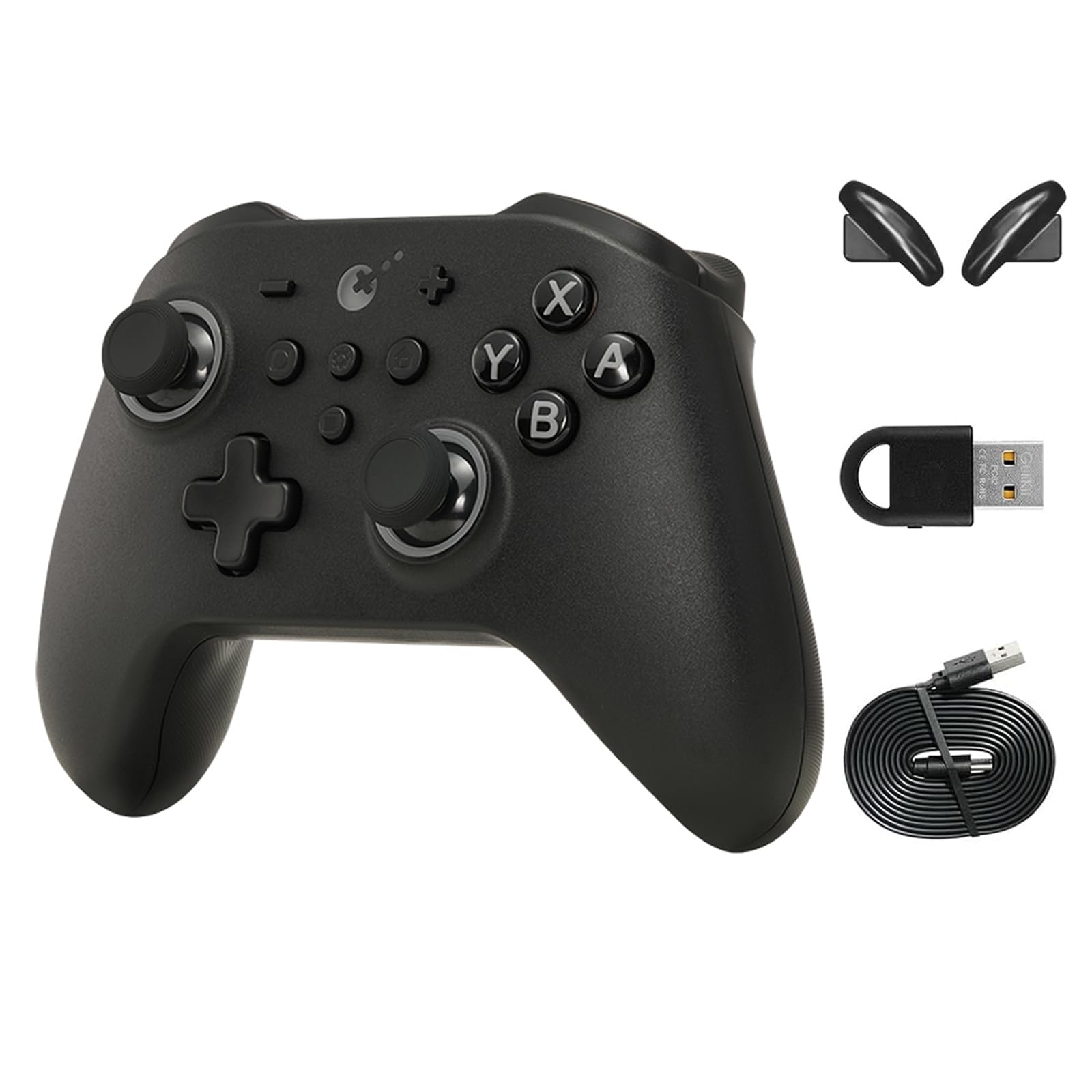
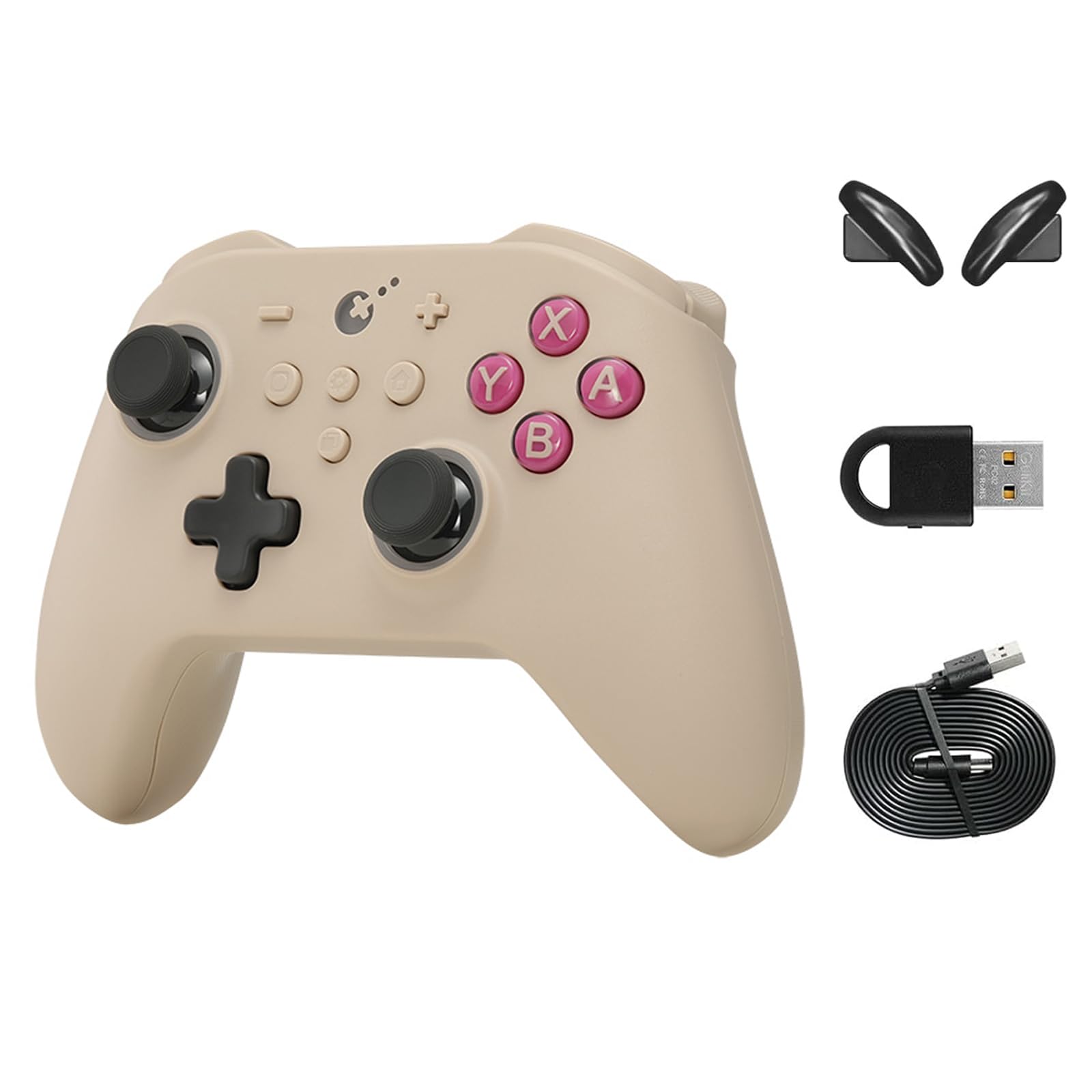
GuliKit Elves 2 Bluetooth Game Controller for Switch/Switch 2 Wake-up,PC & Android, Anti-Drift Hall Effect Joysticks Gamepad,1000Hz Polling Rate, Gyro & Turbo,Protective Cover, Compact for Small Hand
Color:
Elves 2-Black
Detalles del producto
Disponibilidad:
En stock
En stock
Peso con empaque:
0.33 kg
0.33 kg
Devolución:
Sí
Sí
Condición
Nuevo
Nuevo
Producto de:
Amazon
Amazon
Viaja desde
USA
USA
Sobre este producto
- GuliKit low latency controller For Switch/Windows with hall effect joysticks. This wireless game controller for PC and Android and ergonomic grip for long gaming sessions. This controller features turbo mode and customizable buttons. This portable switch controller is easy for travel use. switch bluetooth controller best controllers for pc gaming wireless switch controllers gamer controller wireless controller for pc gaming switch joystick wireless switch pro controller best pc controller game controller for tv gaming controler wireless controller for switch game controller for laptop pc controler computer joystick for gaming pc pc controller for gaming microsoft controller for pc usb pc controller hall effect controller switch switch pc controller video game controllers contoller switch 2 controller hall effect switch 2 hall effect controller pc controller hall effect computer controllers for gaming laptop game controller pc game controller wireless steam pc controller wireless pc game controller gaming remote pc gaming controllers usb wireless controller pc controllers for gaming wireless mando de pc
S/ 278.65
60% OFF
S/ 111.45
IMPORT EASILY
By purchasing this product you can deduct VAT with your RUT number
S/ 278.65
60% OFF
S/ 111.45
 Llega en 5 a 10 días hábiles
con envío
 Tienes garantía de entrega
Conoce más detalles
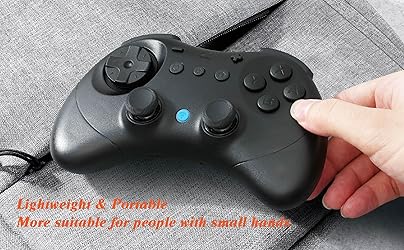
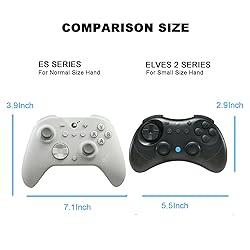
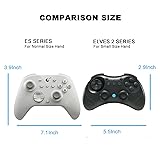
INSTANT SWITCH 1 / 2 WAKE-UP:Elves 2 is the first third party controller to support Switch 2 wake-up. Make sure to follow the SPECIAL pairing method for Switch 2 wake-up: 1. Set controller to NS mode, turn it on, hold pairing button for 2 seconds, the indicator flashes quickly to start pairing. 2. Set Switch 2 into sleep mode first( black screen), press HOME button on Joy-Con to wake the screen, next enter the controller pairing interface and get paired. (Pairing by regular way without setting Switch 2 into sleep mode first will cause only paired but with no Switch 2 wake-up support.) Please follow the uploaded pairing video for reference. (Please make sure to update to latest firmware.) RETRO-INSPIRED CONTROLLER WITH MODERN TECHNOLOGIES:Inspired by the classic controller, the Elves 2 features its retro shape which offers excellent ergonomics for comfort, and more of modern technologies like dual Hall effect thumbsticks, vibrations, six-axis gyro motion control, etc for modern games. SMOOTH ANTI-DRIFT HALL EFFECT JOYSTICKS: Engineered with GuliKit leading-edge Hall Effect electromagnetic thumbsticks,anti-friction stick ring, this gamepad delivers anti-drift durability and exceptional 2200-level high precision control. BROAD COMPATIBILITY WITH ULTRA-FAST SPEED: Compatible with consoles Switch 2, Switch, Switch Lite, Switch OLED, Windows, iOS, Steam Deck,ROG Ally / X handhelds and Android devices, ideal choice for multi-platform gaming. Supports ultra-fast lag-free wired (1000Hz on PC only, No cable Attached) and low latency Bluetooth wireless (730Hz) connection. (Not compatible with Sega Genesis,Mega Drive,Sega Saturn). ADVANCED FEATURES FOR PRO GAMERS: Classic floating D-pad for fighting games,tactile digital triggers,compact(5.9×3.9×1.2inches more suitable for people with small hands)and lightweight(6.3oz)body, stick deadzone on/off, Turbo, 800mAh 20 hours rechargeable battery, portable carrying case for gaming on the go. NO-HASSLE PURCHASE: Package includes elves 2 controller, protection case, instruction manual. (No cable included) Fast customer support within 24 hours. (especially the switch 2 wake-up method) NOTE: Why is there delay for Bluetooth wireless connection to computer with the controller? 1. If a Bluetooth adapter is used for connection between the computer and controller,please make sure there is no WIFI router or similar wireless devices close to the adapter to avoid signal interference. 2.Most Bluetooth adapters work as a simple wireless transmitter and receiver with Bluetooth driver installation requested on computer, and the driver calls the computer's CPU for computation. So delays may occur when CPU is occupied a lot, or there is an issue with the adapter,driver itself or different driver versions. NOTE: Please make sure to update to latest firmware of the elves 2 controller & your game console, if you encounter disconnection issues. Since the controller’s functions need to be set according to personal preferences and are applicable to different platforms, here are the troubleshooting suggestions: 1. Clear all controller settings and reset them based on your new needs to prevent forgotten special game settings from affecting the experience of other games. 2. For the Switch2 wake-up function, our controller has a special pairing method; please refer to our operation guide video in detail or contact us at any time. 3. After switching to a different platform, adjust the back of the controller to the corresponding mode before re-pairing. 4. For Bluetooth connection, ensure no plugins are blocking it for smooth connection.
Compra protegida
Disfruta de una experiencia de compra segura y confiable
![]() Garantía de entrega
Garantía de entrega
Con Tiendamia todas tus compras cuentan con Garantía de Entrega o devolución total de tu dinero.
Compras 100% seguras y garantizadas, para que pidas lo que sueñas y lo recibas del mundo a tu puerta.
Saber más.
Visa

Mastercard

American Express

