




 Garantía de entrega





SKU/Artículo: AMZ-B0DKNDBF49
eKL
eKL USB 3.0 Switch 4 Computers Sharing USB Peripherals, 4 Port USB Switcher Sharing Mouse Keyboard Scanner Printer, with 3.5mm Headset Jack Audio Out, Includes 4 USB 3.0 Cables and Remote
Size:
USB3.0 4 in 4 out with desktop controller
Detalles del producto
Disponibilidad:
En stock
En stock
Peso con empaque:
0.76 kg
0.76 kg
Devolución:
Sí
Sí
Condición
Nuevo
Nuevo
Producto de:
Amazon
Amazon
Viaja desde
USA
USA
Sobre este producto
- eKL USB 3.0 Switch 4 Computers Share 4 USB Devices Switcher with Wired Desktop Controller and 3.5mm Microphone Audio for PC Laptop Mouse Keyboard Scanner Printer
S/ 263.20
44% OFF
S/ 146.23
IMPORT EASILY
By purchasing this product you can deduct VAT with your RUT number
S/ 263.20
44% OFF
S/ 146.23
 Llega en 5 a 10 días hábiles
con envío
 Tienes garantía de entrega
Conoce más detalles
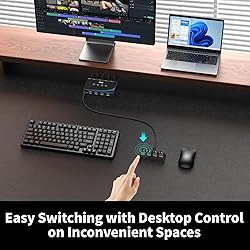
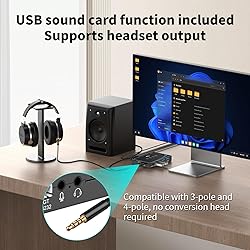
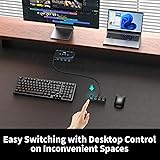
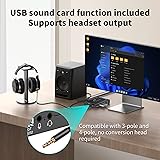
4 PCs Share Multiple Devices: eKL 4-In 4-Out USB switcher supports 4 computers sharing 4 USB devices like keyboards, mouses, printers, headphones, and USB cameras. Switch freely between your work computer and personal computer and boost your work efficiency. Support USB Audio Output: The USB 3.0 switch has two 3.5mm audio jacks, can connect with microphones and headsets. Compatible with 3-pole and 4-pole, no conversion head required. Headset interface support CTIA. Transfer Files in Seconds/ Plug & Play: With 4 USB 3.0 ports, the USB 3.0 switcher supports data transfer up to 5Gbps and is backward compatible with USB 2.0; Driver-free for Windows 7/10/11 and Mac OS, Linux, and Chrome OS, simple plug and play. USB-C Power Supply: The USB switch is designed with a optional power supply for high-power devices like Hard Disk Drives, headsets, and other USB devices to work more stably, and the cable is included. Three Switching Modes: The USB switcher has three switching modes—Desktop control, button and RS232, switch devices freely as you like.You can put the USB switch under desk and use the desktop control to save sapce. Or use RS232 code to switch. NOTE: 1, Do not use the usb port to power the speaker, otherwise, it may lead to unstable connection. 2, Dedicated cable for the desktop control– CANNOT be replaced by other type-c cables.
Compra protegida
Disfruta de una experiencia de compra segura y confiable
![]() Garantía de entrega
Garantía de entrega
Con Tiendamia todas tus compras cuentan con Garantía de Entrega o devolución total de tu dinero.
Compras 100% seguras y garantizadas, para que pidas lo que sueñas y lo recibas del mundo a tu puerta.
Saber más.
Visa

Mastercard

American Express

