






 Garantía de entrega


SKU/Artículo: AMZ-B0DK4S9DVW
ZdalaMit
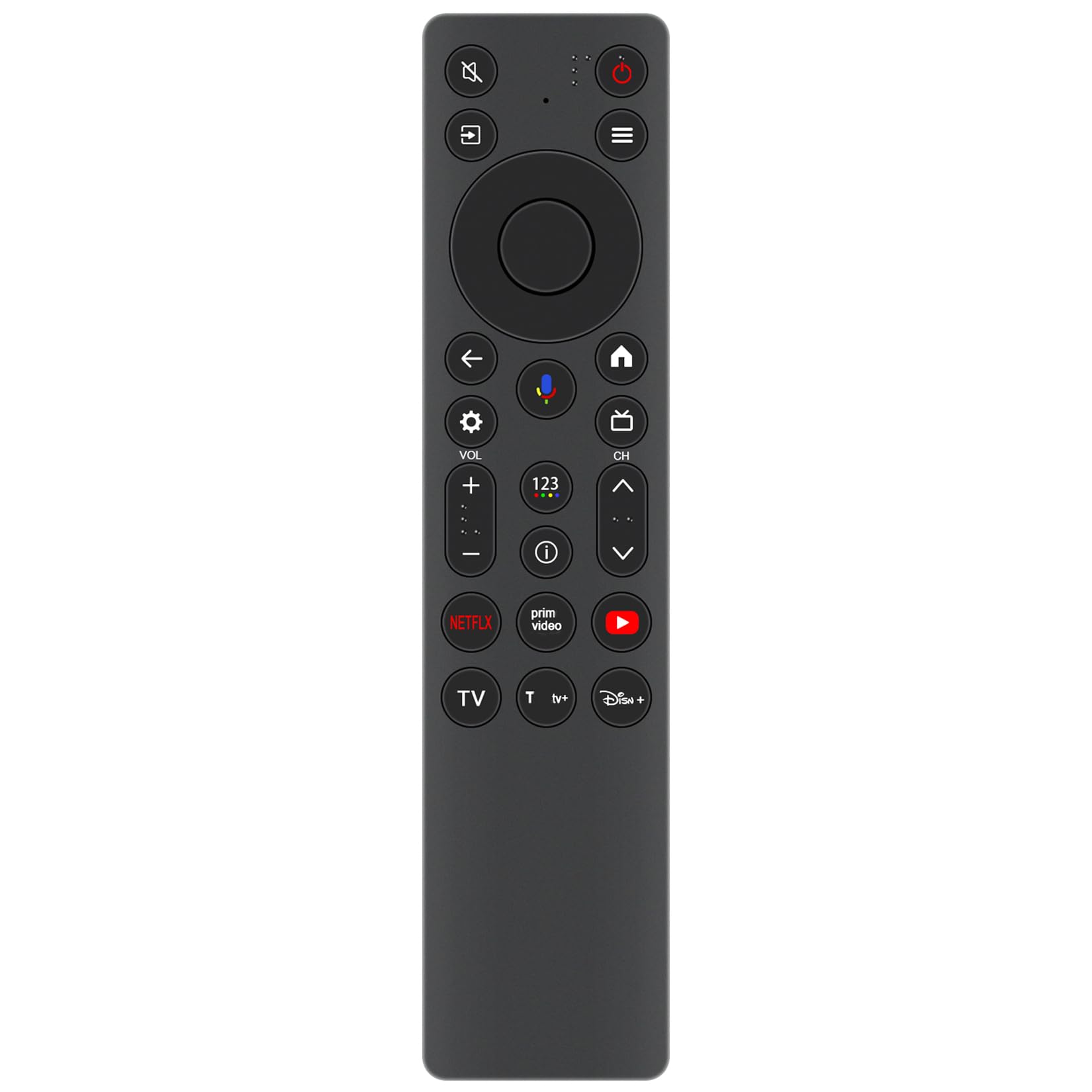
Voice Replacement Remote Control Commander Compatible with Hisense PX1-PRO 4K UHD Triple-Laser Ultra Short Throw Projector
Detalles del producto
Disponibilidad:
En stock
En stock
Peso con empaque:
0.30 kg
0.30 kg
Devolución:
Sí
Sí
Condición
Nuevo
Nuevo
Producto de:
Amazon
Amazon
Viaja desde
USA
USA
Sobre este producto
- Voice Replacement Remote Control Commander Compatible with Hisense PX1-PRO 4K UHD Triple-Laser Ultra Short Throw Projector Pairing Required before use. 1. To pair the Bluetooth remote control to the Laser Console after you power the Laser Console on for the first time, there will be instructions on how to pair the remote control. 2. If your remote control fails to pair with Laser Console, keep the remote control within 10ft from the Laser Console, hold "Back"and "Home" buttons at the same time at least 3 seconds to start pairing until you see the light pulsing on the remote control. Note: If your remote control fails to pair with Laser Console, check the Bluetooth is set On by pressing "Setting" button to select Settings > Remotes & Accessories > Bluetooth to On. If an error occurred while trying to pair the remote control, it could have been caused by interference. Try to remove what is causing the interference and try pairing again. The remote control cannot be paired to the Laser Console while the Laser Console is in standby mode. Work for below models: PX1-PRO This remote control use 2 x AAA size alkaline batteries. Package Content: 1X Remote Control(Battery not included)
S/ 178.23
49% OFF
S/ 91.41
IMPORT EASILY
By purchasing this product you can deduct VAT with your RUT number
S/ 178.23
49% OFF
S/ 91.41
 Llega en 5 a 10 días hábiles
con envío
 Tienes garantía de entrega
Conoce más detalles
Voice Replacement Remote Control Commander Compatible with Hisense PX1-PRO 4K UHD Triple-Laser Ultra Short Throw Projector Pairing Required before use: 1. To pair the Bluetooth remote control to the Laser Console after you power the Laser Console on for the first time, there will be instructions on how to pair the remote control. 2. If your remote control fails to pair with Laser Console, keep the remote control within 10ft from the Laser Console, hold "Back"and "Home" buttons at the same time at least 3 seconds to start pairing until you see the light pulsing on the remote control. This remote control use 2 x AAA size alkaline batteries. Battery not included.
Compra protegida
Disfruta de una experiencia de compra segura y confiable
![]() Garantía de entrega
Garantía de entrega
Con Tiendamia todas tus compras cuentan con Garantía de Entrega o devolución total de tu dinero.
Compras 100% seguras y garantizadas, para que pidas lo que sueñas y lo recibas del mundo a tu puerta.
Saber más.
Visa

Mastercard

American Express

