










 Garantía de entrega





SKU/Artículo: AMZ-B0D79H3JMH
PALADOU
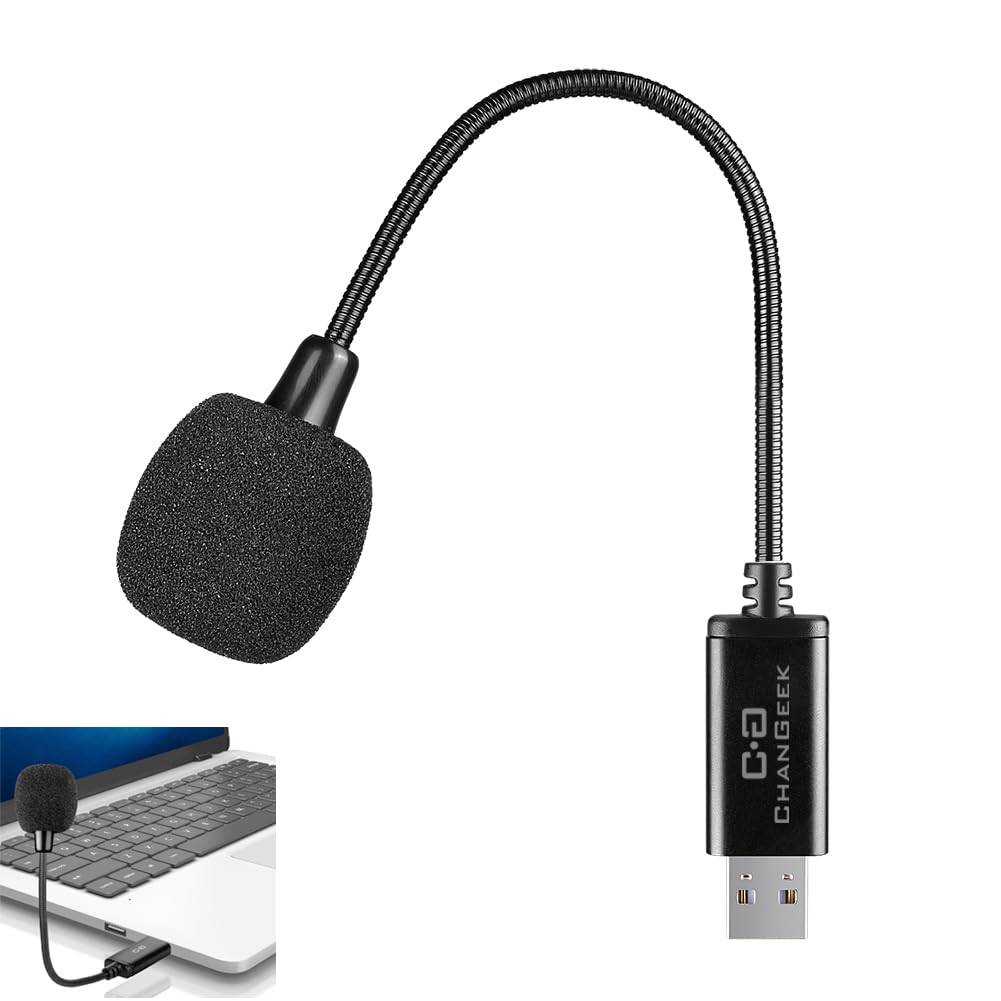
Mini USB Microphone for Laptop, External Desktop Computer Small Mic, Condenser Portable Mic with Gooseneck & Mute Button, Compatible With PC and Mac, Plug & Play, For Meeting, Call Voice (Black)
Color:
Black
Detalles del producto
Disponibilidad:
En stock
En stock
Peso con empaque:
0.30 kg
0.30 kg
Devolución:
Sí
Sí
Condición
Nuevo
Nuevo
Producto de:
Amazon
Amazon
Viaja desde
USA
USA
Sobre este producto
- Mini USB Microphone for Laptop, Desktop Computer Mic, Condenser Mic with Gooseneck & Mute Button, Noise reduction, Compatible with PC and Mac, Plug & Play, For Meeting Work, Call voice, video conference
S/ 76.14
55% OFF
S/ 34.61
IMPORT EASILY
By purchasing this product you can deduct VAT with your RUT number
S/ 76.14
55% OFF
S/ 34.61
 Llega en 5 a 10 días hábiles
con envío
 Tienes garantía de entrega
Conoce más detalles
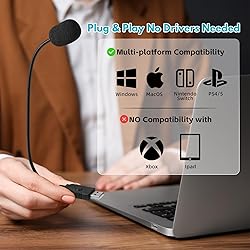
360-degree position-adjustable gooseneck design - the plug-and-play USB microphone picks up sound from 360 degrees with high sensitivity and is optimally positioned to provide sound for your PC games, Dragon Voice dictation, and conversations with Cortana Convenient three-mode button - Quick Mute/Unmute your microphone. Red light mute mode, blue light work mode, green light noise cancel mode. Intelligent Noise Cancellation Technology - A premium cardioid condenser microphone with noise-canceling technology picks up your clear voice and reduces background noise and echoes, perfect for recording audio for your webinars, video blogs, tutorials, and more. LIGHTWEIGHT AND PORTABLE - With its lightweight and compact design, the UM8 Noise Canceling Microphone Adapter is highly portable and can be easily stored in your pocket or computer handbag. Whether you are traveling or business trip, it will bring you a good experience. Plug and Play, No Driver Required - The microphone is compatible with all operating systems - Windows and mac OS. you just need to plug in the microphone and start recording. If the microphone does not respond when plugged in, go to your computer's microphone settings and select the microphone as the input device.
Compra protegida
Disfruta de una experiencia de compra segura y confiable
![]() Garantía de entrega
Garantía de entrega
Con Tiendamia todas tus compras cuentan con Garantía de Entrega o devolución total de tu dinero.
Compras 100% seguras y garantizadas, para que pidas lo que sueñas y lo recibas del mundo a tu puerta.
Saber más.
Visa

Mastercard

American Express

