






 Garantía de entrega






SKU/Artículo: AMZ-B0CSCT63BL
TONOR
TONOR USB Conference Microphone for Laptop, Adjustable Computer PC Mic with Mute Button & LED Indicator, Microfono for Zoom Skype, 200 cm/78inch Cable, Plug-Play for MacOS Windows, TM310
Detalles del producto
Disponibilidad:
En stock
En stock
Peso con empaque:
0.45 kg
0.45 kg
Devolución:
Sí
Sí
Condición
Nuevo
Nuevo
Producto de:
Amazon
Amazon
Viaja desde
USA
USA
Sobre este producto
- TONOR Shotgun Conference Microphone TM310
S/ 192.91
44% OFF
S/ 107.18
IMPORT EASILY
By purchasing this product you can deduct VAT with your RUT number
S/ 192.91
44% OFF
S/ 107.18
 Llega en 5 a 10 días hábiles
con envío
 Tienes garantía de entrega
Conoce más detalles
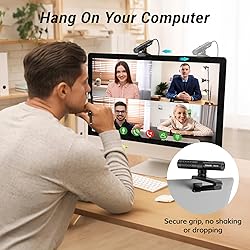
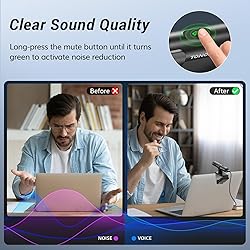
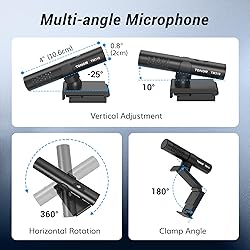
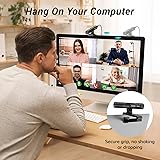
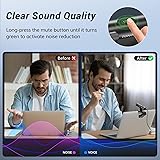
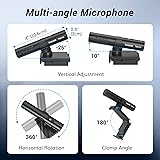
Natural Audio Clarity: The TONOR TM310 microphone features a supercardioid directional pickup design, optimizing its front sound capture capability. Powered by a high-quality dynamic core, it greatly reduces pickup from the back and sides, effectively minimizing noise interference during use. Upgrade your audio experience and enjoy a clearer sound Unique Clip-on Structure: Securely attaches the microphone above the computer, ensuring stability at any clamping angle. The clip-on structure can hold onto any computer or monitor, minimizing desk space. Additionally, the soft material covering the clip protects the screen and desk from scratches Wide Compatibility: Includes Type C to Type C USB cable and a Type C to USB A adapter, making it compatible with all computers. It’s a plug and play device that doesn’t require any drivers. Works seamlessly with Windows (7, 8, 10, and 11), macOS and PS4/5, not recommended for use with smartphones Adjustable Angle: With its adjustable rotational joint, this usb microphone offers 360-degree horizontal rotation and -25°to 10°vertical adjustment. This ensures optimal performance and sound capture, fulfilling your specific needs Mute & Reduce Noise Button: Microphone for pc features a single button with an LED indicator that combines mute and noise reduction functions. Tapping the button and seeing a red light indicates the microphone is muted. Tapping it again and seeing a blue light indicates the microphone is unmuted. Long-pressing the button activates the noise reduction feature, indicated by a green light
Compra protegida
Disfruta de una experiencia de compra segura y confiable
![]() Garantía de entrega
Garantía de entrega
Con Tiendamia todas tus compras cuentan con Garantía de Entrega o devolución total de tu dinero.
Compras 100% seguras y garantizadas, para que pidas lo que sueñas y lo recibas del mundo a tu puerta.
Saber más.
Visa

Mastercard

American Express

