




 Garantía de entrega





SKU/Artículo: AMZ-B0C1SRZXVV
HCDZ
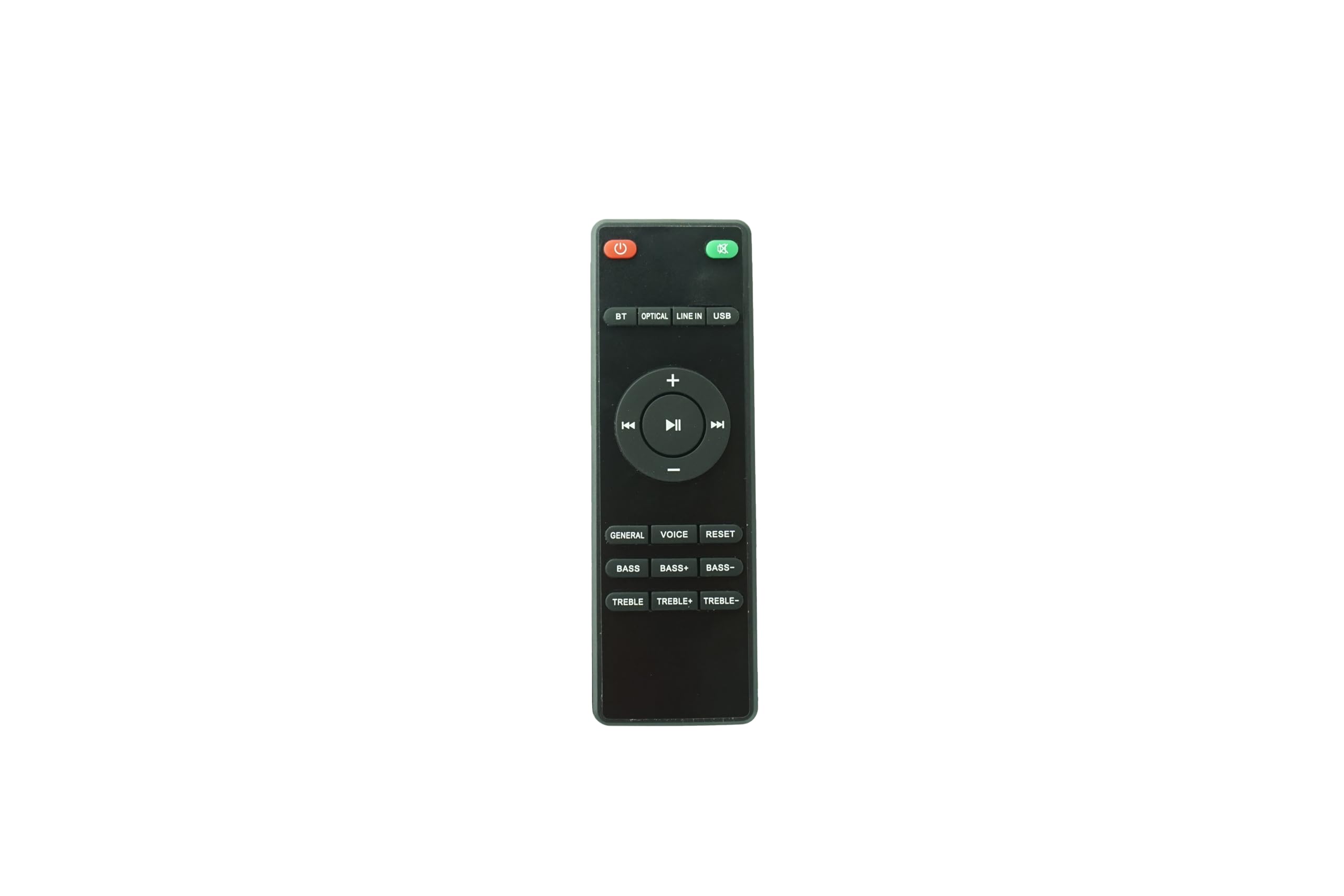
HCDZ Replacement Remote Control for PRORECK Freedom 12 & 15 Portable DJ PA Speaker Karaoke System - No Programming Required, Ready to Use
Detalles del producto
Disponibilidad:
En stock
En stock
Peso con empaque:
0.30 kg
0.30 kg
Devolución:
Sí
Sí
Condición
Nuevo
Nuevo
Producto de:
Amazon
Amazon
Viaja desde
USA
USA
Sobre este producto
- HCDZ Remote for PRORECK Speakers - Ultimate Troubleshooting Guide Problem: "Buttons don't send the correct signal." Solution: Please follow every step below before contacting support. Step 1: The Power Check (Solves 80% of Issues) Use NEW Batteries: Old or cheap batteries provide insufficient voltage, causing some power-intensive buttons to fail. This is the most likely cause. Please use brand-new, name-brand AAA batteries. Correct Installation: Incorrect battery polarity will prevent the remote from working at all. Verify the + and - ends match the symbols in the battery compartment. Step 2: The System Reset (Solves 15% of Issues) Reset the Speaker: The speaker's infrared receiver can become un-synchronized. 1. Turn your PRORECK speaker OFF. 2. Unplug the power cord from the wall outlet. 3. Wait 60 seconds. This is a critical step to fully reset the system. 4. Plug the speaker back in and turn it on. Reset the Remote: 1. Remove all batteries. 2. Press and hold the Power button for 10 seconds to discharge any residual electricity. 3. Reinsert the batteries correctly. Step 3: The Usage & Environment Check Direct Line of Sight:You musthave a clear, direct path between the remote and the speaker's IR sensor. Do not point it at the walls or speaker grille; aim for the dark sensor window. Reduce Distance & Angle: Operate the remote within 8 feet of the speaker and at a narrow angle (directly in front). Check for Interference: Strong ambient light (like direct sunlight or some LED bulbs) can flood the IR sensor. Try using the remote in different lighting conditions. Need More Help? If you have meticulously followed all steps above and specific buttons remain unresponsive, please contact us via Amazon Messages. In your message, please state: "I have used new batteries and performed the 60-second speaker reset." This allows us to quickly identify a potential hardware fault and provide you with an efficient solution.
S/ 101.32
44% OFF
S/ 56.28
IMPORT EASILY
By purchasing this product you can deduct VAT with your RUT number
S/ 101.32
44% OFF
S/ 56.28
 Llega en 5 a 10 días hábiles
con envío
 Tienes garantía de entrega
Conoce más detalles
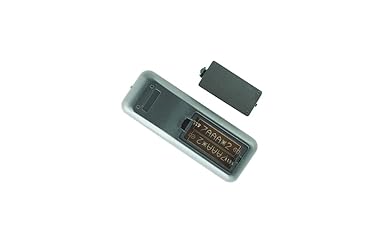
【Plug-and-Play Compatibility】 Designed specifically for the PRORECK Freedom 12 and Freedom 15 Portable DJ PA Speaker systems. This remote is pre-programmed at the factory and requires no setup or coding. It is ready to control your speaker immediately after installing batteries. 【Critical First-Time Use & Battery Guide】 This remote requires 2 x AAA batteries (NOT INCLUDED). For reliable operation, always use brand-new, high-quality batteries. Incorrect or weak power is the most common cause of unresponsive buttons or weak signal. Ensure the + and - ends match the diagrams in the battery compartment perfectly. 【Troubleshooting: Buttons Not Working Correctly】 If some buttons seem unresponsive or send the wrong command: 1. Re-seat the Batteries: Remove and reinstall them to ensure a good connection. 2. Check the IR Sensor: Point the remote directly at the speaker's infrared receiver (usually a dark window on the front panel) from within 5-8 feet. Ensure no objects are blocking the path. 3. Reset the System: Turn the speaker OFF, unplug it from power for 60 seconds, and then plug it back in. This resets the speaker's internal receiver and often resolves signal issues. Complete Reset & Operation Guide】 For persistent issues, perform a full reset: Remove the batteries from the remote and press every button 3 times. Wait 2 minutes, then reinstall fresh batteries. This clears any electronic glitches. Always point the remote directly at the speaker and press buttons firmly. 【Guaranteed Support & Easy Replacement】 We stand by our products. If you have installed new, high-quality batteries and performed a full system reset without success, your unit may be faulty. Please contact us via Amazon Buyer-Seller Messages for immediate troubleshooting and a prompt replacement or refund. We are here to help.
Compra protegida
Disfruta de una experiencia de compra segura y confiable
![]() Garantía de entrega
Garantía de entrega
Con Tiendamia todas tus compras cuentan con Garantía de Entrega o devolución total de tu dinero.
Compras 100% seguras y garantizadas, para que pidas lo que sueñas y lo recibas del mundo a tu puerta.
Saber más.
Visa

Mastercard

American Express

