






 Garantía de entrega


SKU/Artículo: AMZ-B0CKYTLKYW
TiMOVO
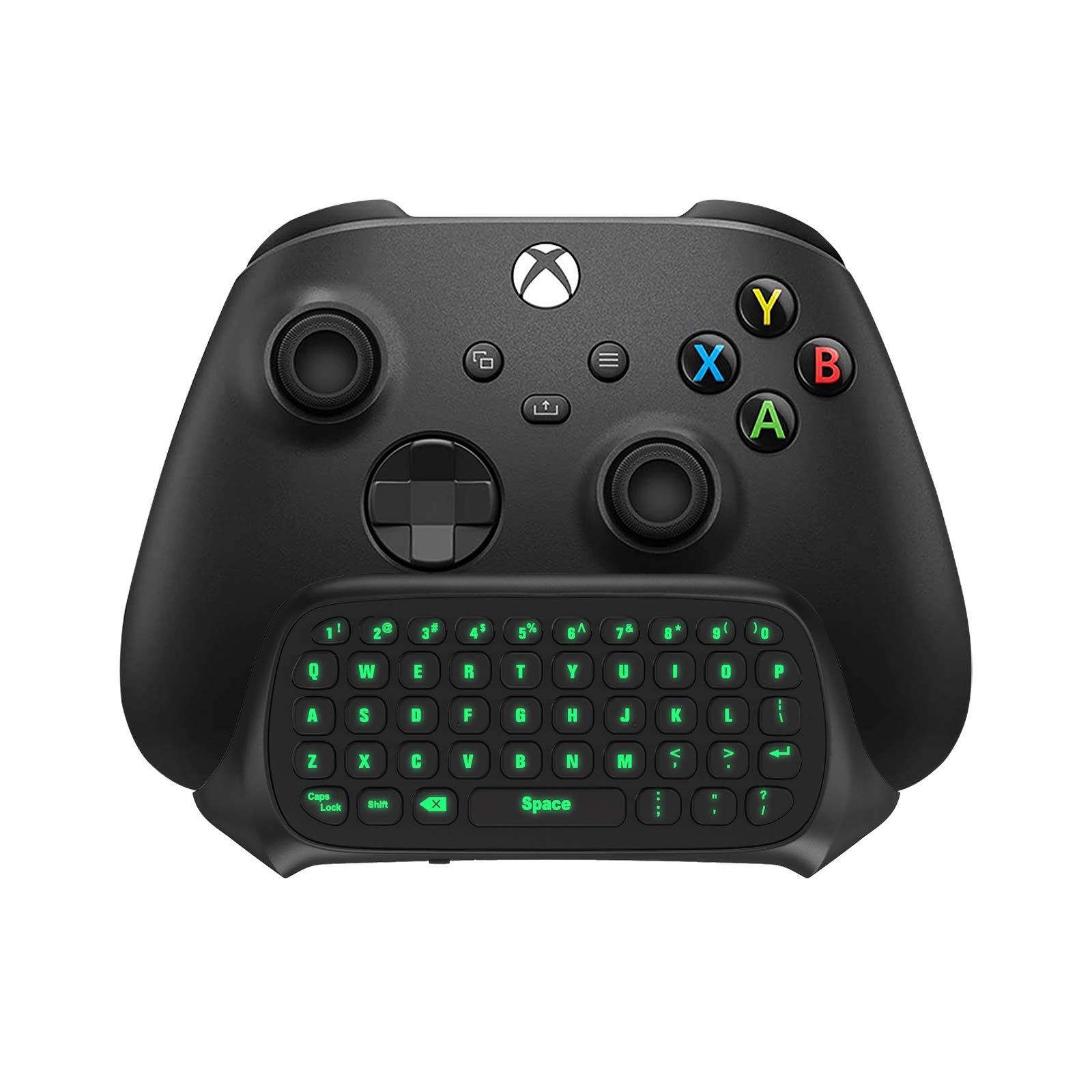
TiMOVO RGB Backlight Keyboard for PS5 Controller, Wireless Bluetooth Keypad Chatpad for PlayStation 5 Controller, Mini PS5 Multi-Color Game Keyboard Built-in 3.5mm Audio Jack, Black
Color:
Black & White
Detalles del producto
Disponibilidad:
En stock
En stock
Peso con empaque:
0.30 kg
0.30 kg
Devolución:
Sí
Sí
Condición
Nuevo
Nuevo
Producto de:
Amazon
Amazon
Viaja desde
USA
USA
Sobre este producto
- TiMOVO Wireless Multi-color Backlight Keyboard for PS5 Controller Product Features: 7 Lighting Modes-make your keyboard cool and attractive, easy to type. Upgraded Speaker Playback-give you better game sound playback. Built-in Speaker-allows you to listen to all chat audio directly from the type pad Built-in 3.5mm Aux Port-allows you to use external headphones/earphones/ headset to play silently. Rechargeable Battery-supports long-hour playback when fully charged. Responsive & Easy Typing- 47 keys are comfortable, sensitive and easy to type. Lightweight & Compact-comfortable to grip and easy to carry when travel. Package Includes: 1 x Wireless Keyboard for PS5 Controller Easy to Connect: Connect the PS5 controller first, then turn on the keyboard, press and hold the pairing button on the keyboard (about 3s) until the blue indicator flashes. Pairing steps: Settings—Accessories—General—Bluetooth Accessories—Choose the name of the keyboard “P5 Plus keyboard”—Press the “X” on PS5 Controller to confirm—Secret key will be displayed on the screen—Input it directly with the keyboard—Press Enter Key to confirm—Completion. Easy to Switch Light Mode: Just press the pairing key once to switch the light mode.
S/ 197.15
49% OFF
S/ 101.11
IMPORT EASILY
By purchasing this product you can deduct VAT with your RUT number
S/ 197.15
49% OFF
S/ 101.11
 Llega en 5 a 10 días hábiles
con envío
 Tienes garantía de entrega
Conoce más detalles
PS5 Controller Keyboard: This wireless keyboard is designed for PS5 controllers. It is small and lightweight and won't add weight to your PS5 or interfere with operation. It is comfortable to hold and has a built-in rechargeable battery that supports 80 hours using on a full charge. 7 Backlight Modes: Brilliant! Our keypad for PS5 has been upgraded to 7 light modes, 4 multicolor modes: Monochrome Sliding, Breathing Light, Rainbow Breathing, Monochrome Auto-rotation Mode (Red, dark blue, green, orange, pink-violet, lake blue light will flash based on corresponding light mode) , 3 static light modes: Blue, pink-violet, orange. Bright backlight in the dark brings easy typing and immersive gaming vibe. (Note: just press the pairing key once to switch the light mode) Chat while Play: The built-in speaker lets you hear all chat audio from the PS5 controller keyboard, besides, 3.5 mm aux port allows you to connect an external headphones, earphones, headset, both of which make it easy to communicate with your teammates in-game via live voice chat or typing. If you want to switch audio playback device, please modify the setting in “Output Device”: Settings—Sound—Audio Output—Switch Output Device Automatically (Close) Better Game Sound Output: We have improved the speaker playback device based on the original keyboard. When using the built-in speakers, there is no abnormality or noise even under the loudest playback. Play the game sound clearly for a better gaming experience! Responsive and Easy Typing: The 47-key keypad for PS5 is made of silicone material that is comfortable to touch, and the white-framed key design makes letters and characters more visible and easier to type. The keys are sensitive and easy to reach, allowing you to type and chat smoothly in games. Easy to Connect: Connect the PS5 controller first, then turn on the keyboard, press and hold the pairing button on the keyboard (about 3s) until the blue indicator flashes. Pairing steps: Settings—Accessories—General—Bluetooth Accessories—Choose the name of the keyboard “P5 Plus-CB”—Press the “X” on PS5 Controller to confirm—Secret key will be displayed on the screen—Input it directly with the keyboard—Press Enter Key to confirm—Completion. Note: 1.After the keyboard is connected with the console, the backlight will be on for 1.5 minutes and then go to sleep mode, press any key and the light will stay on for another 1.5 minutes. 2. It has memory function. When the keyboard is turned on, it restores the light mode that the keyboard was in before it was turned off.
Compra protegida
Disfruta de una experiencia de compra segura y confiable
![]() Garantía de entrega
Garantía de entrega
Con Tiendamia todas tus compras cuentan con Garantía de Entrega o devolución total de tu dinero.
Compras 100% seguras y garantizadas, para que pidas lo que sueñas y lo recibas del mundo a tu puerta.
Saber más.
Visa

Mastercard

American Express

