






 Garantía de entrega


SKU/Artículo: AMZ-B082KD7MR9
KEYESTUDIO
KEYESTUDIO Basic Starter Kit for BBC Micro bit V2, Graphical Programming Built-in Compass, Buttons, LED Matrix Display + Battery Holder & USB Cable for Microbit
Detalles del producto
Disponibilidad:
En stock
En stock
Peso con empaque:
0.36 kg
0.36 kg
Devolución:
Sí
Sí
Condición
Nuevo
Nuevo
Producto de:
Amazon
Amazon
Viaja desde
USA
USA
Sobre este producto
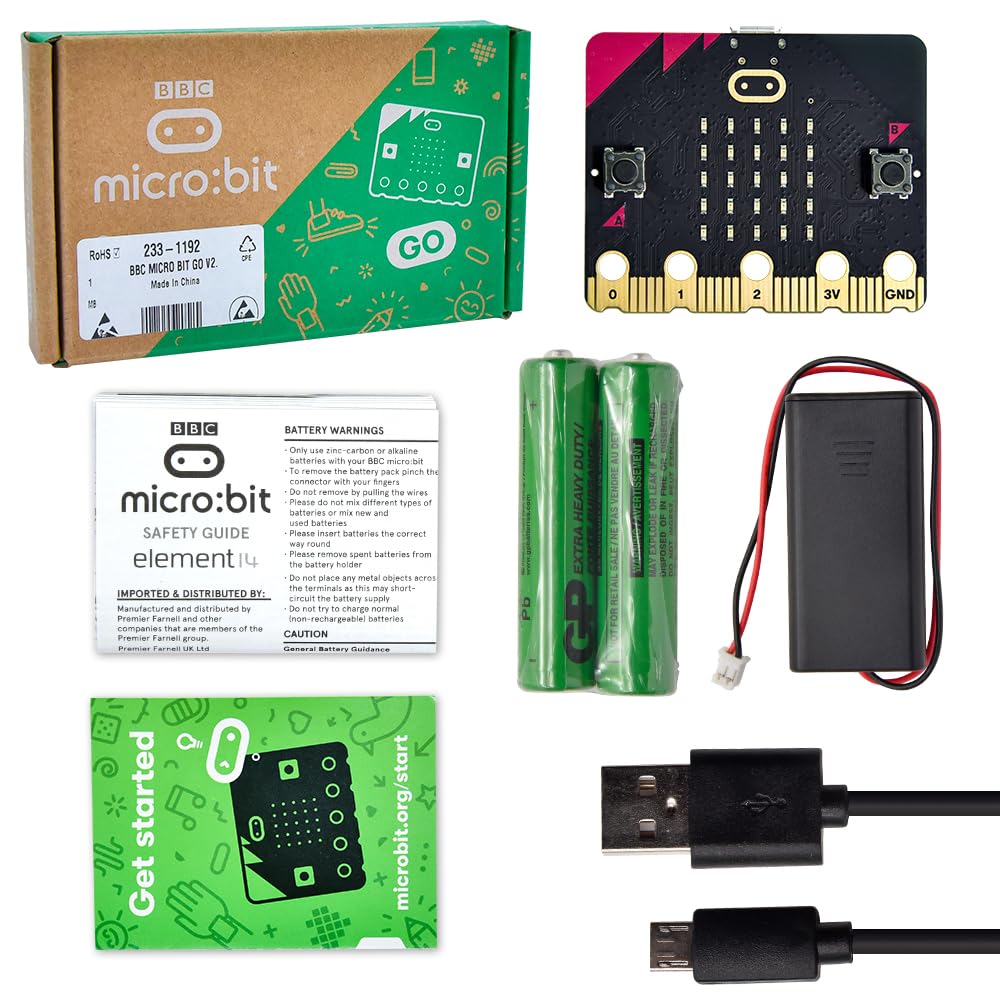
- Features: USB and Blue-tooth Low energy connectivity. Compass and Accelerometer. 2 x programmable buttons. A 25 LED display. 20 pin edge connector. A USB cable for programming. A battery case with lead for power supply. Using Method:(details on KEYESTUDIO wiki page) Step 1: Connection Connect the micro:bit to computer via a micro USB cable. Your micro:bit will show up on computer as a drive called 'MICROBIT'. Step 2: Programming Using micro bit MakeCode Block editor, write micro:bit code. You can drag and drop some example blocks and try your program on the Simulator in the Javascript Blocks Editor. Click the JavaScript, you can see the corresponding program code. Step 3: Download Click the Download button in the editor. This will download a 'hex' file, which is a compact format of your program that your micro:bit can read. Here you can name the project as LED1, then click “Save”. Once the hex file has downloaded, copy it to your micro:bit just like copying a file to a USB drive. On Windows you can right click and choose "Send To→MICROBIT." Step 4: Playing The micro:bit will pause and the yellow 5*5 LED on the back of the micro:bit will display the images while your code is programmed. You can power it using USB cable or battery. The battery holder needs to connect two 1.5V AA batteries (not included). Shipping List: Black USB cable L=1m *1pcs BBC micro bit micro-controller v2*1pcs 2-cell Battery holder *1pcs Alligator clip line *10pcs Protective case for microbit v2*1pcs
S/ 152.72
31% OFF
S/ 105.32
IMPORT EASILY
By purchasing this product you can deduct VAT with your RUT number
S/ 152.72
31% OFF
S/ 105.32
 Llega en 5 a 10 días hábiles
con envío
 Tienes garantía de entrega
Conoce más detalles
BBC Micro:bit Development Board V2.2 is included! New micro:bit with sound. Battery holder with On-Off switch to power the micro bit which is very convenient for controlling. Micro:bit is a great platform to start, you code visually via the block editor which is a way to learn JavaScript basics using blocks of code. Connection Diagram, Sample Code, Using Method and User Guide are provided on our wiki page. It has an led matrix, compass, accelerometer and a microphone, which makes it easy to reprogram as a smartwatch, logging platform, gesture controller, or an external speaker for audio.
Compra protegida
Disfruta de una experiencia de compra segura y confiable
![]() Garantía de entrega
Garantía de entrega
Con Tiendamia todas tus compras cuentan con Garantía de Entrega o devolución total de tu dinero.
Compras 100% seguras y garantizadas, para que pidas lo que sueñas y lo recibas del mundo a tu puerta.
Saber más.
Visa

Mastercard

American Express

