




.svg)


 Garantía de entrega




Zunate
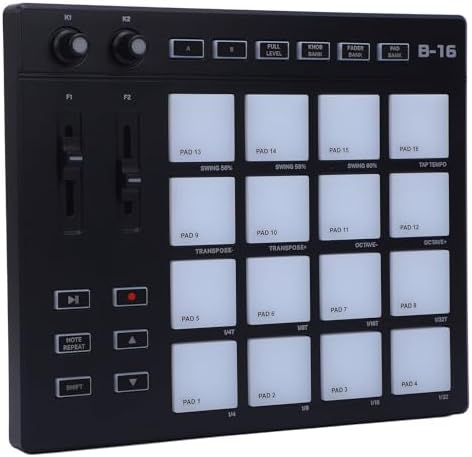
Zunate MIDI Controller with 16 RGB Drum Pads, 2 Assignable Fader Knobs, 2 Adjustable Knobs, Customizable Keys, Portable MIDI Drum Pad for Music Production
Disponibilidad
En stock
En stock
Peso con empaque
1.41 kg
1.41 kg
Devolución
No
No
Condición
Nuevo
Nuevo
Producto de
Amazon
Amazon
Sobre este producto
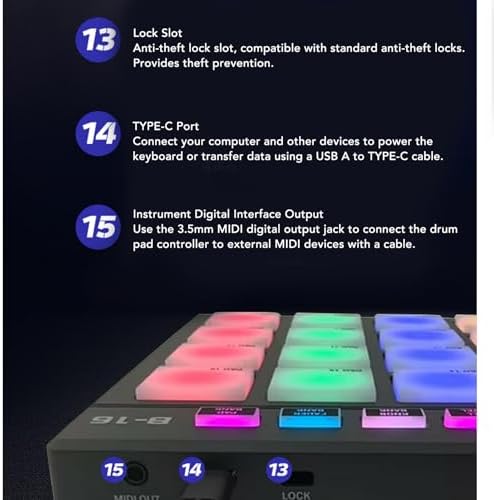
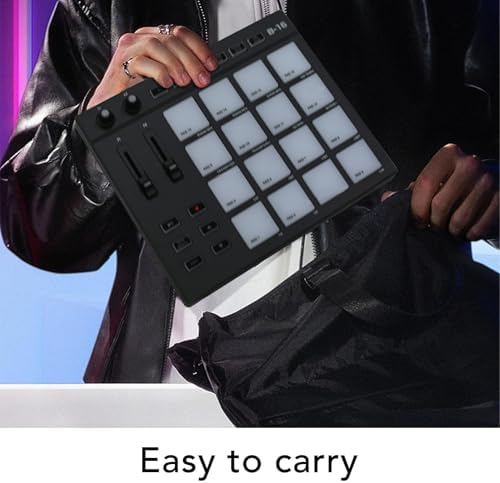
- Portable Design: MIDI drum pad controller boasts a lightweight design for on the go music production. With 16 vibrant, color illuminated drum pads, you can produce music anytime and anywhere. Record up to 48 custom sounds for creativity.
- Versatile Controls: MIDI controller pad features 2 assignable fader, 2 adjustable knobs, and powerful noise reduction for enhanced music creation. Provides more ways to express your musical ideas.
- Customizable Keys: Portable MIDI drum pad controller is equipped with multiple programmable buttons for personalized functions, improving efficiency in music composition.
- Long Lasting: Crafted from premium ABS and silicone materials, this MIDI drum pad is designed for stability and reliability during long term use. The robust build ensures that it can withstand the rigors of daily practice and performances.
- Strong Compatibility: Low latency and stable . MIDI controller seamlessly integrates with major music software and hardware interfaces, making it ideal for various sound workstations.
$410,38
60% OFF
$164,15
IMPORT EASILY
By purchasing this product you can deduct VAT with your RUT number
$410,38
60% OFF
$164,15
Envío gratis
Llega en 26 o más días hábiles
Con envío
 Tienes garantia de entrega
Este producto viaja
de USA ![]() a tus manos en
a tus manos en
![]()
 a tus manos en


Compra protegida
Disfruta de una experiencia de compra segura y confiable
![]() Garantía de entrega
Garantía de entrega
Con Tiendamia todas tus compras cuentan con Garantía de Entrega o devolución total de tu dinero.
Compras 100% seguras y garantizadas, para que pidas lo que sueñas y lo recibas del mundo a tu puerta.
Tarjetas de Débito y Crédito

Visa

Mastercard

American Express

Dinners

Discover

Alias
Pagos a través de PayPal
Compra procesada en dólares con dinero en cuenta o tarjetas internacionales.

PayPal
Conoce más detalles
Specification: Item Type: MIDI Controller Pad Material: ABS, Silicone How to Use: 1. Connect the device: Use a USB cable to connect the controller to your computer. - Ensure that the controller's power is turned on. 2. Install the driver: Recommended sound workstation software: The drum pad controller will be displayed as an input and output device in the instrument digital interface settings of the sound workstation software. Before starting your composition, you need to set the drum pad controller as an input device in the instrument digital interface settings of the sound workstation. Once this setting is complete, your software can receive note and controller data from the drum pad controller. List of recommended sound workstation software: For FL Studio, for , for Reason, for Audition, for Logic, for Sonar, for Studio One, for Reaper, for Waveform, for Cubase or for 3. Choose software: Open your music production software. Set up MIDI input and output in the software, selecting your controller as the input device. 4. Configure the controller: In the music production software, configure it according to the layout and functions of the controller. Typically, each , knob, and slider on the controller can be to different functions such as triggering notes, adjusting parameters, etc. PackageList: 1 x MIDI Controller 2 x Cables 1 x Converter 1 x Storage Bag

