





.svg)


 Garantía de entrega




Acegamer
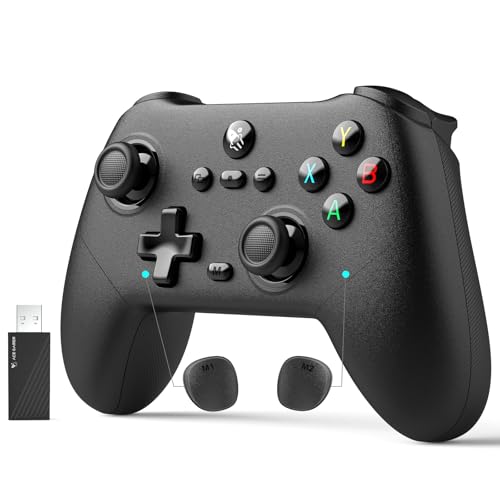
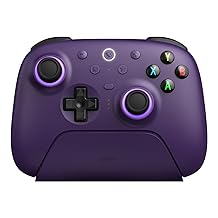
AceGamer Pluto 2.4G Wireless Bluetooth Controller for PC/Switch/Switch 2/iOS/Android/Steam,TMR Joysticks,Hall Effect Triggers,4-Motors Vibration,1000Hz Polling Rate,Force-balanced Lever Bumpers,Pragrammable Back Buttons
Color:
Black


Disponibilidad
En stock
En stock
Peso con empaque
0.40 kg
0.40 kg
Devolución
Sí
Sí
Condición
Nuevo
Nuevo
Producto de
Amazon
Amazon
Sobre este producto
- 🎮【Supported Platforms】Designed for competitive gamers, compatible with Windows PC/Switch/Switch 2/iOS/Android/Steam deck (❌NOT Support with Xbox and PlayStation).Connection modes: Wired/Bluetooth/2.4G Wireless Dongle.
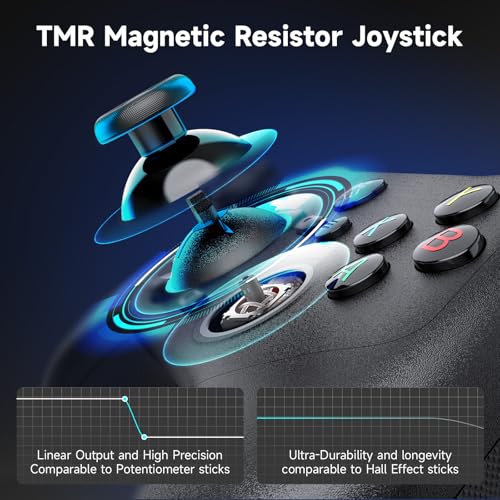
- 🎮【TMR Magnetic Resistor Joystick】Anti-drift & ultra precise. Linear output and high precision comparable to potentiometer sticks, ultra-durability and longevity comparable to hall effect sticks.—ideal for FPS and racing games.
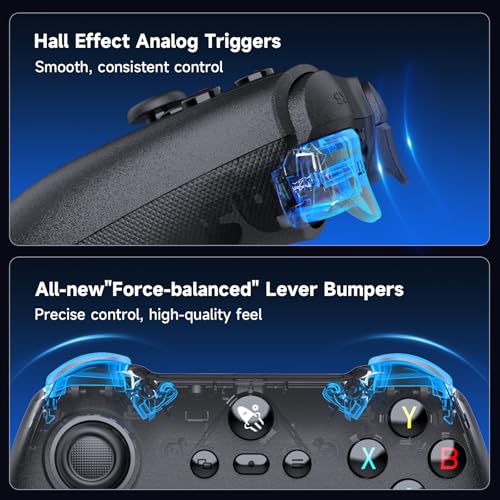
- 🎮【Hall Effect Liner Triggers】 Fast input for any gaming style.No more gritty friction or mushy jams whether shooting or in racing games. Just a clean, smooth pull for when every shot counts.
- 🎮【2.4G & Wired 1000Hz Polling Rate】Experience pro-level responsiveness with a blazing-fast 1000Hz polling rate. Enjoy ultra-low latency in both 2.4G wireless and wired modes, giving you a competitive edge with seamless, real-time control.
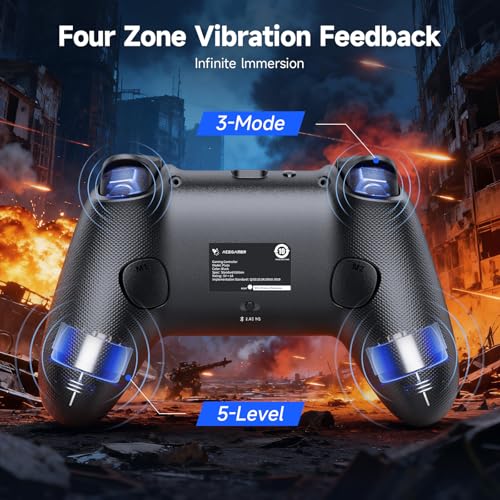
- 🎮【4-Motors,Dual Vibration Zones】Total sensory immersion. Experience precise, stereo vibrations with 4 motors. Choose from 5-Level grip vibration(0%~25%~50%~75%~100%)areas and 3-mode trigger vibration (Off~Sync~Native PC Game Feedback)areas for unmatched control over your tactile experience.
- 🎮【"Force-Balanced" Lever Bumpers】- Precision You Can Feel. The unique lever design ensures a smooth, even press across both bumpers, giving you absolute control and a premium feel so you never miss a cue.
- 🎮【More Function Highlights】 ✅ 2 Programmable macro keys buttons✅ 3 turbo speeds✅ Membrane ABXY button ✅ Battery Indicator✅ One button screenshot (Switch only)
- 🎮【Connection Modes】Wired/Bluetooth/2.4G Wireless Dongle. Switch the button on the back of the controller to the corresponding connection mode.1. For 2.4G connection, press and hold the ‘Pairing’ button for 3 seconds to pair with the USB receiver. 2. Bluetooth connection: Press and hold the ‘Pairing’ button 3 seconds to initiate Bluetooth pairing. Enable Bluetooth search on your PC, then click to connect to “Xbox Wireless Controller.” press the HOME button to turn on and automatically reconnect.
$48,64
26% OFF
$36,13
IMPORT EASILY
By purchasing this product you can deduct VAT with your RUT number
$48,64
26% OFF
$36,13
Envío gratis
Llega en 12 a 16 días hábiles
Con envío
 Tienes garantia de entrega
Este producto viaja
de USA ![]() a tus manos en
a tus manos en
![]()
 a tus manos en


Compra protegida
Disfruta de una experiencia de compra segura y confiable
![]() Garantía de entrega
Garantía de entrega
Con Tiendamia todas tus compras cuentan con Garantía de Entrega o devolución total de tu dinero.
Compras 100% seguras y garantizadas, para que pidas lo que sueñas y lo recibas del mundo a tu puerta.
Tarjetas de Débito y Crédito

Visa

Mastercard

American Express

Dinners

Discover

Alias
Pagos a través de PayPal
Compra procesada en dólares con dinero en cuenta o tarjetas internacionales.

PayPal

