






SKU/Artículo: AMZ-B0GHZRPRL4
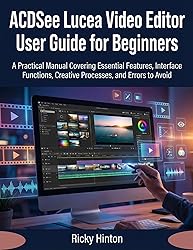
ACDSee Lucea Video Editor User Guide for Beginners: A Practical Manual Covering Essential Features, Interface Functions, Creative Processes, and Errors to Avoid
Format:
Kindle
Detalles del producto
Disponibilidad:
Fuera de stock
Fuera de stock
Peso con empaque:
0.76 kg
0.76 kg
Devolución:
Sí
Sí
Condición
Nuevo
Nuevo
Producto de:
Amazon
Amazon
Viaja desde
USA
USA
Sobre este producto
- Many beginners abandon video editing not because the software is too advanced, but because the learning path is unclear and poorly explained. Jumping between random tutorials often leads to confusion, mistakes, and wasted time. This book was created to solve that problem by giving you a clear, structured, and reliable way to learn ACDSee Lucea Video Editor from the ground up.ACDSee Lucea Video Editor User Guide for Beginners follows a logical learning progression that builds skills step by step. Each section is carefully ordered so that new concepts make sense as you move forward. You start with proper setup and workspace understanding, then move into media handling, editing techniques, audio control, visual enhancements, exporting, performance optimization, and real practice projects. Nothing is rushed, skipped, or assumed.The book provides complete coverage of the subject matter, ensuring you understand not only how to use the tools, but how they connect within a real editing workflow. Every explanation is based on verified functionality and practical use, not assumptions or shortcuts. The focus remains on clarity, accuracy, and results that beginners can confidently achieve.What you will learn inside this book:Understand the software layout, panels, and tools in a clear, structured orderSet up your system and workspace correctly to avoid performance issuesImport, organize, and manage media files with confidenceRecord screen activity, audio, webcam footage, and screenshots properlyEdit clips precisely using timelines, tracks, markers, and trimming toolsControl audio levels, synchronization, and clarity without technical confusionApply motion, color adjustments, effects, and text in a controlled, purposeful wayExport videos using correct settings for quality and compatibilityImprove performance through proven optimization techniquesPractice editing with guided project types that reinforce learningAvoid common mistakes that cause errors, poor playback, or lost qualityWhat makes this guide stand out:A clear learning sequence that builds skills naturallyFull topic coverage with no missing stepsProfessionally organized chapters for easy referencePractical explanations based on real use, not theoryBeginner-focused language that remains precise and reliableThis book is written for readers who want a dependable guide they can follow from start to finish without feeling lost. It respects your time, explains concepts clearly, and gives you the confidence to work independently within the editor.Click the Buy Now button and start editing with clarity, control, and confidence today.

Fuera de stock
Selecciona otra opción o busca otro producto.
Este producto viaja
de USA ![]() a tus manos en
a tus manos en
![]()
 a tus manos en

Compra protegida
Disfruta de una experiencia de compra segura y confiable
Tarjetas de Crédito y Débito

Visa

Mastercard

American Express
Pagos a través de PayPal
Compra procesada en dólares con dinero en cuenta o tarjetas internacionales.

Paypal
Pagos a través de MODO
Compra procesada en pesos desde la App de tu banco.

PayPal

 Tienes garantía de entrega