












SKU/Artículo: AMZ-B0FZL3PF79
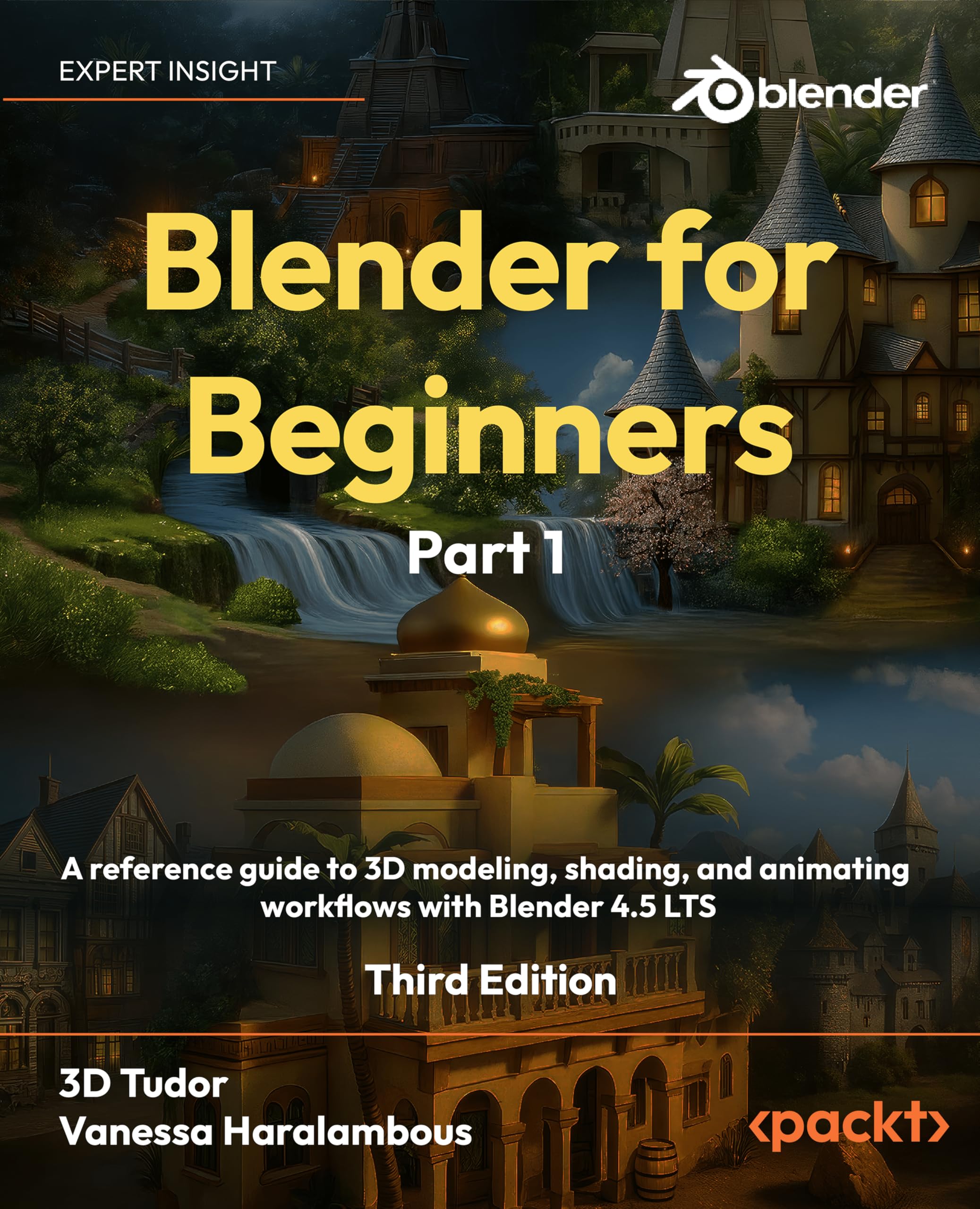
Blender 5: Precise Modeling for Architecture, Engineering, and 3D Printing
Format:
Kindle
Detalles del producto
Disponibilidad:
Fuera de stock
Fuera de stock
Peso con empaque:
0.79 kg
0.79 kg
Devolución:
Sí
Sí
Condición
Nuevo
Nuevo
Producto de:
Amazon
Amazon
Viaja desde
USA
USA
Sobre este producto
- Blender 5: Precise Modeling for Architecture, Engineering, and 3D PrintingSPECIAL FEATURE: Over 300 full-color pages with detailed illustrations, technical schematics, and step-by-step visual guides!Complete Guide to CAD-Like Precision Modeling in Blender – From Basic Setup to Professional Technical ProjectsBlender 5: Precise Modeling for Architecture, Engineering, and 3D Printing transforms Blender into a powerful precision modeling tool for AEC professionals and technical designers. Learn to create architecturally accurate models with numeric precision, CAD-like workflows, and professional-grade techniques.Compatible with Blender 5.0 and all future 5.x releases, this guide works seamlessly whether you're using Blender 5.0, 5.1, or beyond. The precision modeling techniques and workflows remain consistent across the entire Blender 5 series.What You'll Learn Chapter-by-Chapter:Chapter 1: Blender for Architecture, Engineering, and 3D Printing - Master Blender's interface for technical work, set up essential add-ons for precision modeling, and organize projects with professional workflows.Chapter 2: Precision Modeling and Numeric Input - Configure metric and imperial units, control transformations with numeric precision, master snap tools including Snap Base, and use measurement tools for accurate modeling.Chapter 3: CAD-like Modeling Tools - Unlock Precision Drawing Tools (PDT) for CAD-style operations including coordinate-based modeling, filleting, chamfering, trim/extend operations, and precise transformations.Chapter 4: Modeling a Floor Plan - Create architectural floor plans from scratch, model walls with precision extrudes, use PDT for wall management, import and clean CAD files (DWG/DXF), and edit drawings with professional techniques.Chapter 5: From 2D to 3D in Architectural Modeling - Transform floor plans into complete 3D models, create door and window frames, add balconies with Geometry Nodes, build barrel arches with booleans, and use the Mirror modifier for symmetrical designs.Chapter 6: Mechanical Modeling - Design precise mechanical parts with technical schematics, manage isometric views with Stored Views, create symmetrical components with Mirror modifier, model geared cylinders, and apply professional finishing techniques with bevels.Chapter 7: Curves and 3D Modeling Tools - Use reference images for accurate modeling, create reusable component libraries with Asset Browser, master curve-based modeling techniques, import SVG files, and create profile-based models.Chapter 8: Modeling for 3D Printing - Prepare models for 3D printing with proper export settings, add multi-color support, use the 3D-Print Toolbox for quality checks, validate geometry for printing, and apply modifiers for printable results.Perfect for Technical Professionals:Architects transitioning from AutoCAD, Revit, or ArchiCAD to BlenderEngineers requiring CAD-like precision in open-source software3D printing enthusiasts creating technical, dimensionally-accurate modelsTechnical designers seeking professional precision modeling workflowsCAD professionals exploring Blender as a viable alternativeAnyone needing to specify exact measurements, angles, and dimensionsEvery chapter features real-world technical projects with detailed schematics and measurement-driven workflows. Learn to work with actual dimensions, import CAD files, and produce professional-grade technical models with full numeric control.Discover how Blender's combination of precision tools, PDT add-on capabilities, and CAD file compatibility makes it a powerful alternative for technical modeling work—all within an open-source, customizable framework.

Fuera de stock
Selecciona otra opción o busca otro producto.
Este producto viaja
de USA ![]() a tus manos en
a tus manos en
![]()
 a tus manos en

Compra protegida
Disfruta de una experiencia de compra segura y confiable
Tarjetas de Crédito y Débito

Visa

Mastercard

American Express
Pagos a través de PayPal
Compra procesada en dólares con dinero en cuenta o tarjetas internacionales.

Paypal
Pagos a través de MODO
Compra procesada en pesos desde la App de tu banco.

PayPal

 Tienes garantía de entrega