







SKU/Artículo: AMZ-B0F7F9G692
Office Scripts for Excel Online: Automate Spreadsheets Without VBA: Next-Gen Excel Automation Using JavaScript-Like Scripts for Busy Professionals, ... Excel Automation with Office Scripts)
Format:
Paperback
Detalles del producto
Disponibilidad:
En stock
En stock
Peso con empaque:
0.29 kg
0.29 kg
Devolución:
Sí
Sí
Condición
Nuevo
Nuevo
Producto de:
Amazon
Amazon
Viaja desde
USA
USA
Sobre este producto
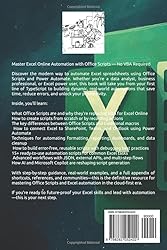
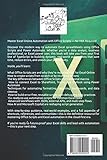
- Here is TOC of this book: Introduction 3 What is Office Scripts? 3 Why not VBA? 5 Overview of use cases and benefits 6 Chapter 1: Getting Started with Excel Online and Office Scripts 9 Requirements: Microsoft 365 subscription 9 Enabling Office Scripts 11 Exploring the Code Editor 13 Chapter 2: Office Scripts vs VBA – Key Differences 16 Language: TypeScript vs VBA 16 Environment: Cloud vs Desktop 18 Use cases and compatibility 20 Chapter 3: Your First Script 24 Writing a simple “Hello from Office Scripts!” 24 Recording a script with the Action Recorder 26 Editing recorded scripts 28 Chapter 4: Automating Formatting Tasks 32 Highlighting rows based on conditions 32 Auto-formatting tables 34 Applying conditional formatting with scripts 38 Chapter 5: Automating Reports and Data Cleanup 42 Sorting, filtering, and deduplication 42 Importing and cleaning datasets 45 Creating monthly dashboards 48 Chapter 6: Using Office Scripts with Power Automate 53 Creating flows that trigger Excel scripts 56 Scheduling tasks and email reports 60 Automating with SharePoint and Teams 63 Chapter 7: Script Library: 15 Ready-to-Use Examples 68Script for Copying Values From One Sheet To Another 68Script For Sending A Sheet As PDF 71Script for Inserting Timestamps 74Script for Inserting Dynamic Headers 76Script for Clearing Data but Preserving Formatting 80Script for Removing Duplicates from a Column 83Script for Sorting a Table by a Specific Column 86Script for Filtering Data Based on Criteria 89Script for Finding and Highlighting Specific Text 92Script for Generating a Summary Row (Totals, Averages) 95Script for Creating a New Worksheet and Copying Template Structure 99Script for Protecting a Worksheet or Specific Cells 102Script for Highlighting Duplicates in a Range 105Script for Deleting Blank Rows 108Script for Exporting a Range or Sheet as PDF 111Chapter 8: Debugging and Troubleshooting 115 Common errors and how to fix them 115 Best practices for readable and reusable scripts 118 Chapter 9: Advanced Tips for Power Users 123 Working with JSON data 123 Using external APIs in flows 127 Multi-step automation sequences 130 Chapter 10: Future of Office Scripts and Excel Automation 134 Microsoft's roadmap 134 Integration with AI and Copilot 137 How to stay updated 140 Appendix 143 Office Scripts reference sheet 143 Power Automate cheat sheet 147 Free resources and communities 151 Conclusion: From Scripts to Systems – Your Next Step 154 Grab your copy now.
AR$50.295
44% OFF
AR$27.944
IMPORT EASILY
By purchasing this product you can deduct VAT with your RUT number
AR$50.295
44% OFF
AR$27.944
 Llega en 8 a 12 días hábiles
con envío
 Tienes garantía de entrega
Este producto viaja
de USA ![]() a tus manos en
a tus manos en
![]()
 a tus manos en

Compra protegida
Disfruta de una experiencia de compra segura y confiable
Tarjetas de Crédito y Débito

Visa

Mastercard

American Express
Pagos a través de PayPal
Compra procesada en dólares con dinero en cuenta o tarjetas internacionales.

Paypal
Pagos a través de MODO
Compra procesada en pesos desde la App de tu banco.

PayPal

