









SKU/Artículo: AMZ-B0B8RB5BFB
Corel
Parallels Desktop 26 for Mac | Run Windows on Mac Virtual Machine Software | Authorized by Microsoft |1 Year Subscription [Mac Download]
Platform:
Mac Download
Edition:
Standard
Detalles del producto
Disponibilidad:
En stock
En stock
Peso con empaque:
2.38 kg
2.38 kg
Devolución:
Sí
Sí
Condición
Nuevo
Nuevo
Producto de:
Amazon
Amazon
Viaja desde
USA
USA
Sobre este producto
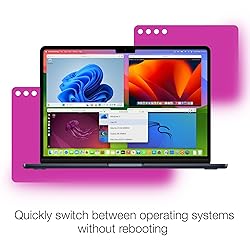
- Parallels Desktop for Mac is a fast, easy, and powerful solution for running Windows on Intel or Apple silicon Mac computers. Install and run your favorite Windows apps, seamlessly switching between Mac and Windows environments for an efficient, unified experience. Enjoy powerful 3D performance that supports graphically demanding applications, games, and a wide array of OSs, including Windows and Linux virtual machines. It’s perfect for home users and students alike. Experience the best of both macOS and Windows with regular updates, 24/7 support, and an intuitive user interface. It's no wonder millions of Mac users love Parallels. System Requirements:Operating system: macOS 26 Tahoe, macOS Sequoia 15.0 or newer, macOS Sonoma 14.5 or newer, macOS Ventura 13.2 or newer, macOS Monterey 12.6 or newer, macOS Big Sur 11.7 or newer*, macOS Catalina 10.15.7 or newer*, macOS Mojave 10.14.6 or newer* Processor: Any Apple silicon chip, Intel Core i5, Core i7, Core i9, Intel Core M or Xeon processor Memory: Minimum 4 GB of RAM, 16 GB of RAM or more recommended Storage: 600 MB for Parallels Desktop application installationAdditional disk space for the guest operating system (at least 16 GB is required for Windows OS) Graphics: Any Apple silicon chip Intel, AMD Radeon, or NVIDIA graphics cardsFor full requirements, please see full detailed list on the Parallels website*An an earlier product version is installed for macOS Big Sur 11.7 or newer, macOS Catalina 10.15.7 or newer, macOS Mojave 10.14.6 or newerInternet connection is required for product activation, updates, and select features
AR$278.105
60% OFF
AR$111.245
IMPORT EASILY
By purchasing this product you can deduct VAT with your RUT number
AR$278.105
60% OFF
AR$111.245
 Llega en 12 a 18 días hábiles
con envío
 Tienes garantía de entrega
Este producto viaja
de USA ![]() a tus manos en
a tus manos en
![]()
 a tus manos en

Conoce más detalles
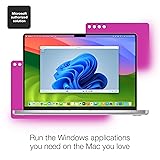
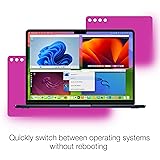
One-year subscription Microsoft-authorized: Parallels Desktop is the only Microsoft-authorized solution for running Windows 11 on Mac computers with Apple silicon Run Windows applications: Run more than 200,000 Windows apps and games side by side with macOS applications Compatibility: Works on all modern Macs, M-Series or Intel Optimized for: macOS 26 Tahoe, macOS Sequoia, macOS Sonoma, macOS Ventura, and Windows 11 to support the latest features, functionality, and deliver exceptional performance Works with other OSs: Extend the capabilities of your Mac by downloading and installing multiple operating systems like Windows, Linux, and older versions of macOS in a virtual machine Effortless transition: Seamlessly drag and drop or copy and paste clipboard content, files, folders, and images between Mac and Windows to transfer your data
Compra protegida
Disfruta de una experiencia de compra segura y confiable
Tarjetas de Crédito y Débito

Visa

Mastercard

American Express
Pagos a través de PayPal
Compra procesada en dólares con dinero en cuenta o tarjetas internacionales.

Paypal
Pagos a través de MODO
Compra procesada en pesos desde la App de tu banco.

PayPal

