












Seihoo
Bluetooth Remote & Page Turner Control - Can Also Use to Scroll Videos for Tiktok and Control to Play/Pause The Video - It Can Work with Most Cellphones/Tablets (Andriod 8.0+ and iOS 6.0+)
Disponibilidad:
En stock
En stock
Peso con empaque:
0.33 kg
0.33 kg
Devolución:
Sí
Sí
Condición
Nuevo
Nuevo
Producto de:
Amazon
Amazon

Producto prohibido
Este producto no está disponible
Este producto viaja
de USA ![]() a tus manos en
a tus manos en
![]()
 a tus manos en

Compra protegida
Disfruta de una experiencia de compra segura y confiable
Tarjetas de Crédito y Débito

Visa

Mastercard

American Express
Pagos a través de PayPal
Compra procesada en dólares con dinero en cuenta o tarjetas internacionales.

Paypal
Pagos a través de MODO
Compra procesada en pesos desde la App de tu banco.

PayPal
Conoce más detalles
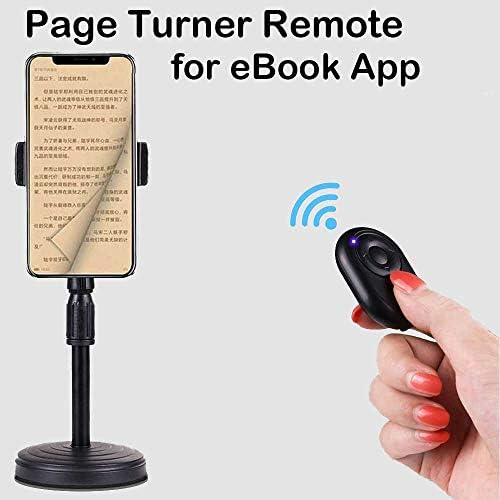
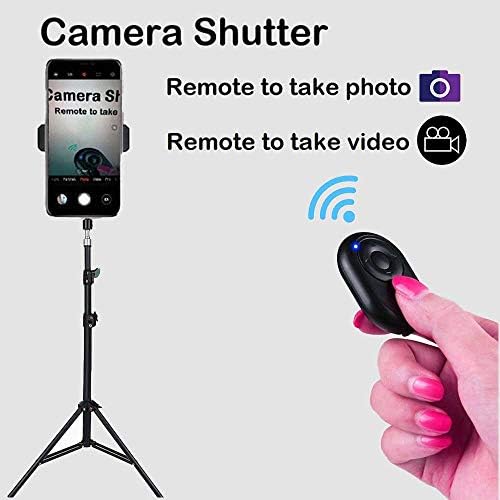
--Important Notes: 1. Please don't buy it for Kindle device, it only works for kindle apps on cellphone/tablet. 2. When you should replace the battery. a. It cannot be turned on after tried to turn on and off several times. b. It can be turned on, but the bluetooth connection will often drop or it cannot work as normally. 3. When it works for iPhone or for iPad , the below settings must be done: a. Please turn "on" the AissistiveTouch on your phone. b. Ajust the TRACKING SENSITIVITY to 50%. (Settings>Accessibility>Touch>AssistiveTouch>TRACKING SENSITIVITY) --Function Description: 1. Page Turner Remote / Powerpoint Remote: a. Open an eBook( or a slideshow) on cellphone. b. Press "Left"/"Right" button to turn page. For some apps, you need to press "Up"/"Down" button to turn page. 2. Remote for TikTok (or for Youtube Shorts): a. Open "TikTok" on cellphone. b. Press "Up"/"Down" button to scroll up/ down videos. c. Press "Function Button" to Play/Pause videos. Double-Click it to thumb up the video. 3. Camera Remote: a. Open "Camera" on cellphone. b. Hold on "Up" or "Down" Button for 3 seconds to take photos/take videos. 4. Volume Control: a. Hold on "Up"/"Down" button to control up/down volume on cellphone.

 Tienes garantía de entrega