









SKU/Artículo: AMZ-B01N2XHFO4
Smartby
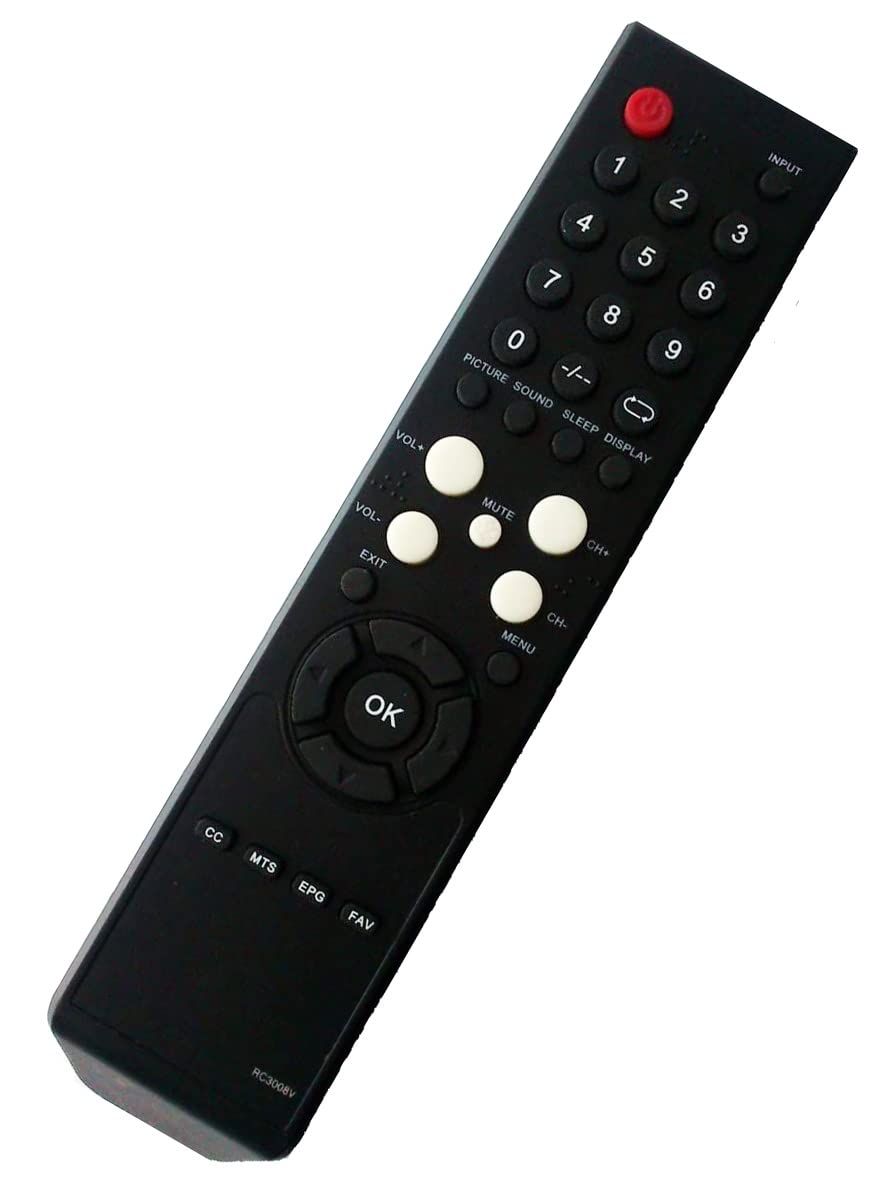
Remote Control Replacement for PROSCAN DVD Comb LCD LED TV PLCDV3213A PLDVD3213A PLEDV2845A PLDEDV3292A-B PLCDV3247A-C PLDEDV3292-A PLCDV3247A-C PLEDV2845A PLDEDV3292-A PLCDV3213A PLDVD3213A Comb TV
Detalles del producto
Disponibilidad:
En stock
En stock
Peso con empaque:
0.15 kg
0.15 kg
Devolución:
Sí
Sí
Condición
Nuevo
Nuevo
Producto de:
Amazon
Amazon
Viaja desde
USA
USA
Sobre este producto
- REMOTE CONTROL Replacement for Proscan TV DVD COMBO: PLCDV3213A PLDVD3213A PLEDV2845A PLDEDV3292A-B PLCDV3247A-C PLDEDV3292-A PLDEDV3292-A PLCDV3213A PLDVD3213A Proscan Comb TV Troubleshooting: If the remote control does not work directly,Please reset as below: 1. Remove batteries from remote control 2. Press every button for 3 second on the remote at least one time to drain any residual power. This also helps to check for stuck buttons. 3. Insert BRAND-NEW batteries into the remote and make sure the batteries are correctly installed with the positive and negative ends in the right direction. 4. Sometimes the problem isn’t the remote. Sometimes the problem is the TV. Just unplug the TV from the power outlet and hold down the power button on the side of the TV for 15 seconds. Doing this drains residual power and can clear up odd issues. Then plug the TV back in and power it on.
AR$33.602
60% OFF
AR$13.437
IMPORT EASILY
By purchasing this product you can deduct VAT with your RUT number
AR$33.602
60% OFF
AR$13.437
 Llega en 8 a 12 días hábiles
con envío
 Tienes garantía de entrega
Este producto viaja
de USA ![]() a tus manos en
a tus manos en
![]()
 a tus manos en

Conoce más detalles
Brand new, no need any program and work out of box after installing the batteries (Battery Not included) Remote Control Replacement for PROSCAN DVD Comb LCD LED TV Compatible with these models: PLCDV3213A PLDVD3213A PLEDV2845A PLDEDV3292A-B PLCDV3247A-C PLDEDV3292-A Comb PLCDV3247A-C PLEDV2845A PLDEDV3292-A PLCDV3213A PLDVD3213A Package: 1 x Remote Control (battery and manual Not included) This remote only works for the listed models, Not a universal remote
Compra protegida
Disfruta de una experiencia de compra segura y confiable
Tarjetas de Crédito y Débito

Visa

Mastercard

American Express
Pagos a través de PayPal
Compra procesada en dólares con dinero en cuenta o tarjetas internacionales.

Paypal
Pagos a través de MODO
Compra procesada en pesos desde la App de tu banco.

PayPal

