




 Garantía de entrega






Artículo: AMZ-B0G64MQFMS
HEKUTU
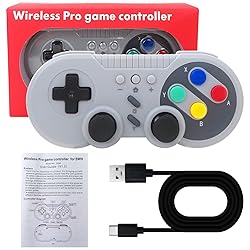
HEKUTU Upgraded Retro Wireless Controller for Switch and for PC, Featuring Motion Control Technology, Dual Vibration, Turbo Mode, Wake-Up Function - Gray
Detalles del producto
Disponibilidad
En stock
En stock
Peso con empaque
1.29 kg
1.29 kg
Devolución
Sí
Sí
Condición
Nuevo
Nuevo
Producto de
Amazon
Amazon
Viaja desde
USA
USA
Sobre este producto
- Retro Wireless Controller for Switch and for PC, Featuring Motion Control Technology, Dual Vibration, Turbo Mode, Wake-Up Function - Gray Wireless Controller for Nintendo Switch This wireless gamepad compatible with switch console and also supports for Windows PC. Adopt new wireless connection technology, strong anti-interference ability, more stable connection. Built-in large capacity batt-ery for long time use. Support wake-up function, built-in gyroscope to provide motion control and built-in dual motor to provide dual vibration function. You can use the Turbo and screen-capture buttons to implement corresponding functions. HOW TO CONNECT? First Connection: 1.Select the [ Controller ] Menu. 2.Select the [ Change Grip/Order ] Menu. 3.Press and Hold the [ HOME ] key 4 seconds on the [ Change Grip/Order ] Page and 4 indicators blinks fast.(Enter the search configuration.) 4.After the connection is successful,the LED lights indicate the corresponding game player. Connect The Controller To The Console Again: Switch Console In the Open state, press the [ HOME] button to start the controller, and the gamepad will be automatically connected to the console. At the same time also supports the [ HOME ] button to wake up the console, wired to connect the computer and other functions, please see the manual working.
$56,41
31% OFF
$38,91
IMPORT EASILY
By purchasing this product you can deduct VAT with your RUT number
$56,41
31% OFF
$38,91
Envío gratis
 Llega en 12 a 16 días hábiles
Con envío
 Tienes garantia de entrega
Este producto viaja
de USA ![]() a tus manos en
a tus manos en
![]()
 a tus manos en

Conoce más detalles
Retro Wireless Controller for Switch and for PC, Featuring Motion Control Technology, Dual Vibration, Turbo Mode, Wake-Up Function - Gray This wireless gamepad compatible with switch console and also supports for Windows PC. Adopt new wireless connection technology, strong anti-interference ability, more stable connection. Support wake-up function, built-in gyroscope to provide motion control and built-in dual motor to provide dual vibration function. You can use the Turbo and screen-capture buttons to implement corresponding functions.
Compra protegida
Disfruta de una experiencia de compra segura y confiable
![]() Garantía de entrega
Garantía de entrega
Con Tiendamia todas tus compras cuentan con Garantía de Entrega o devolución total de tu dinero.
Compras 100% seguras y garantizadas, para que pidas lo que sueñas y lo recibas del mundo a tu puerta.
Tarjetas de Débito y Crédito

Visa

Mastercard

American Express

Dinners

Discover

Alias
Pagos a través de PayPal
Compra procesada en dólares con dinero en cuenta o tarjetas internacionales.

PayPal

.svg)
