






 Garantía de entrega






Artículo: AMZ-B0FLXF7V7X
FORE
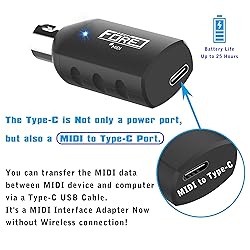
FORE S1 Wireless MIDI Interface & MIDI USB Type-C Adapter, Ultra Low Latency, Work with MIDI Keyboard & Any MIDI 5-Pin Din Device Compatible with iOS, Android, Windows/mac OS Balck 1-Pack
Detalles del producto
Disponibilidad
En stock
En stock
Peso con empaque
0.20 kg
0.20 kg
Devolución
No
No
Condición
Nuevo
Nuevo
Producto de
Amazon
Amazon
Viaja desde
USA
USA
Sobre este producto
- FORE Bluetooth Two in One MIDI Interface, Support MIDI IN or OUT port, Ultra Low Latency, Connecting with MIDI Keyboard/Synthesizer for Editing&Recording Track Work with Windows/mac OS Color Balck
$86,84
60% OFF
$34,74
IMPORT EASILY
By purchasing this product you can deduct VAT with your RUT number
$86,84
60% OFF
$34,74
Envío gratis
 Llega en 26 o más días hábiles
Con envío
 Tienes garantia de entrega
Este producto viaja
de USA ![]() a tus manos en
a tus manos en
![]()
 a tus manos en

Conoce más detalles
FORE S1 Wireless Bluetooth MIDI Interface Adapter is specifically designed for replacing the messy wiring harness, reduce the trouble caused by winding, and give you a fresh and clean studio. The Wireless MIDI System will replace wired transmission cable and change the traditional connection method in the past. S1 can work with Wireless. also it can work as MIDI to USB&Type-C Interface Adapter Cable. 3 Modes to work. Plug, Pair & Play. Without Complicated Settings & Without Installing Drivers, FORE S1 Wireless Bluetooth MIDI Interface will be fast paired with iOS & Android Phone/ Pad, mac OS and Windows System. Swith "IN" for "Output", Switch "OUT" for "Intput". They are Reversed. Three Modes to work. [1. Wireless IN for iOS & Android Phone/Pad] , [2. Wireless OUT for iOS & Android Phone/Pad], [3. MIDI to USB & Type-C Adapter with Type-C Cable for Windows &mac OS Compter, iOS & Android Phone/Pad.] Ultra low 3ms latency. FORE Wireless Bluetooth MIDI Interface Adapter supports MIDI keyboard, Synthesizer, Electric Drum and any device with 5 Pin-din MIDI port. Stable and fast speed MIDI data transmission. FL studio12, FL studio20, DirectMusic, CoreMIDI, Cubase, Sonar, MIDI Connections, etc. Supported. High-Quality 2.4 GHz Wireless Transmission, up to 49ft/15m transmission distance. Compatible with iOS & Android Phone/Pad, mac OS and Windows System. [Attention] FORE S1 Wireless MIDI Interface Adapter will not work via directly connect to the Bluetooth of iOS & Android Phone/Pad. It needs to use the App to work. Garageband is supported. For example, [1. Open Garageband], [2. Find the "Settings"], [3. Go to "Advanced"], [4. Find the "Bluetooth MIDI Devices"], [5. Click "Midi Transceiver" to connect], then, it can work now.
Compra protegida
Disfruta de una experiencia de compra segura y confiable
![]() Garantía de entrega
Garantía de entrega
Con Tiendamia todas tus compras cuentan con Garantía de Entrega o devolución total de tu dinero.
Compras 100% seguras y garantizadas, para que pidas lo que sueñas y lo recibas del mundo a tu puerta.
Tarjetas de Débito y Crédito

Visa

Mastercard

American Express

Dinners

Discover

Alias
Pagos a través de PayPal
Compra procesada en dólares con dinero en cuenta o tarjetas internacionales.

PayPal

.svg)
