






 Garantía de entrega






Artículo: AMZ-B0FJM5VRDP
SMART SLOPPY
S10 ATT Universal TV Remote Control, Replacement Remote, Easy Setup, Wide Compatibility S10 ATT Remote Control Replacement
Detalles del producto
Disponibilidad
En stock
En stock
Peso con empaque
0.20 kg
0.20 kg
Devolución
Sí
Sí
Condición
Nuevo
Nuevo
Producto de
Amazon
Amazon
Viaja desde
USA
USA
Sobre este producto
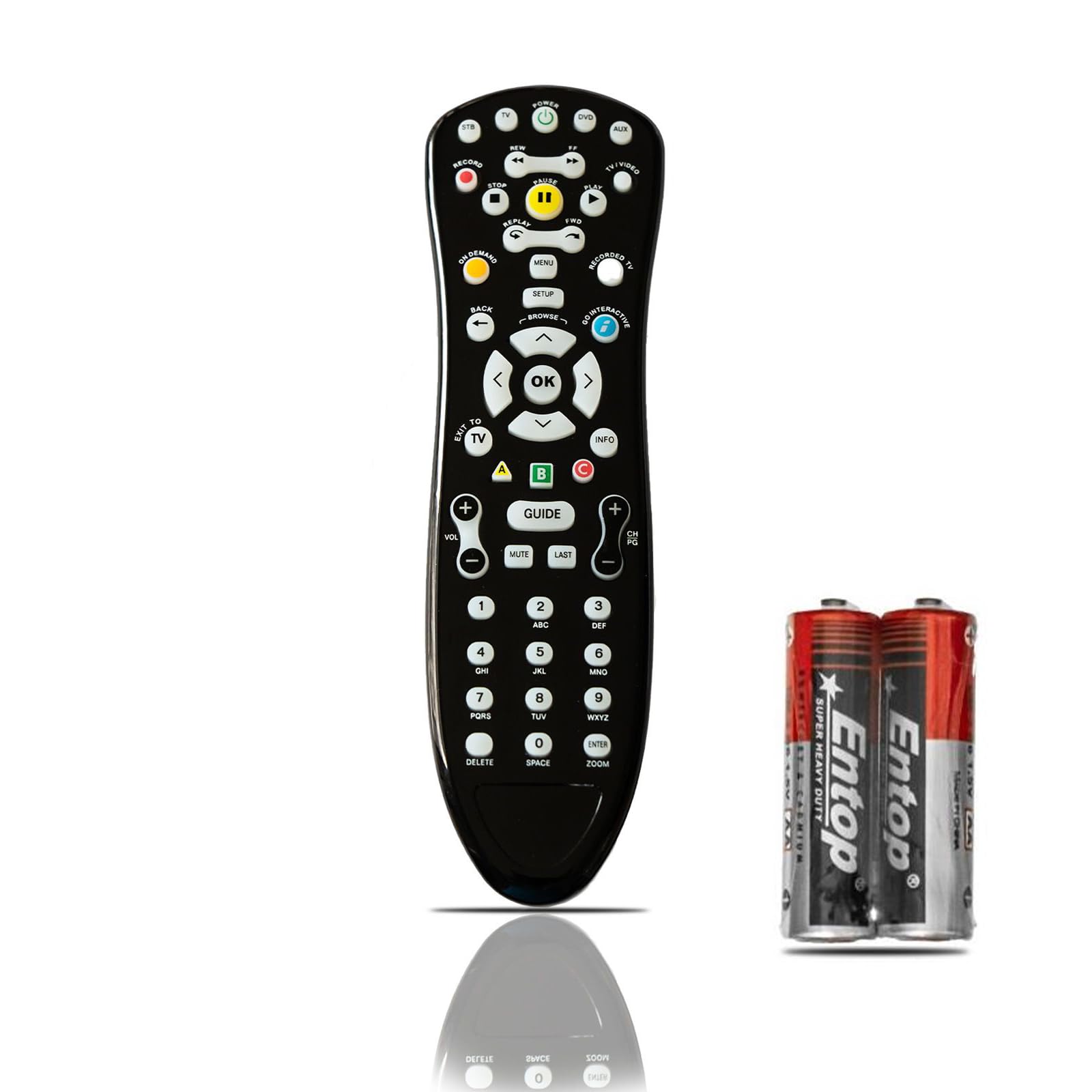
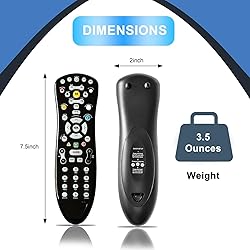
- Smart Sloppy Universal Replacement Remote for ATT S10 This replacement remote is designed to work with compatible ATT S10 models. It provides simple, universal control for your TV and cable/satellite box, making it a great alternative if your original remote is lost or broken. Key Features: Wide Compatibility – Supports ATT S10 remote models: S10-S1, S10-S2, S10-S3, and S10-S4. Please confirm compatibility before purchase. Easy Setup – Simple programming with step-by-step instructions included in the package. Ergonomic Design – Sleek black body with large, easy-to-read buttons and a comfortable, non-slip grip. Reliable Quality – Made in China with durable materials. Not an original ATT product, but a reliable replacement.
$103,21
60% OFF
$41,28
IMPORT EASILY
By purchasing this product you can deduct VAT with your RUT number
$103,21
60% OFF
$41,28
Envío gratis
 Llega en 5 a 12 días hábiles
Con envío
 Tienes garantia de entrega
Este producto viaja
de USA ![]() a tus manos en
a tus manos en
![]()
 a tus manos en

Conoce más detalles
4-in-1 Universal Control – Operates your TV, DVD, Set-Top Box, and Audio system with a single remote. Compatible with 100+ Brands –COMPATIBILITY With S10-S1 S10-S2 S10-S3-S10-S4 MAKE SURE IT IS COMPATIBLE WITH THE ATT S10 REMOTE CONTROL MODEL Be sure to check that it is compatible with your TV and receiver before purchasing Easy Pairing – Set up quickly using auto code search or manual entry. Code list included. Full 49-Key Layout – Includes all essential buttons: volume, channel, navigation, menu, and input. 📘 USER MANUAL (Quick Setup Guide) Welcome to SMART SLOPPY URC490! Your 4-in-1 IR universal remote for TV, DVD, STB & Audio Devices. 🔧 Setup Options: Option 1 – Auto Code Search: Turn on your device (e.g., TV). Press and hold the device button (TV/DVD/STB/AUX) until LED blinks. Press POWER button repeatedly until the device turns off. Press OK/Enter to save the code. Option 2 – Manual Code Entry: Turn on your device. Hold device key (TV, DVD, etc.) until LED blinks. Enter the 3-digit code from the code list. If correct, the LED will turn off. 📑 Sample Codes for TVs: Samsung – 004, 005, 009 LG – 001, 006, 024 Sony – 003, 008, 027 Philips – 012, 020, 034 TCL – 026, 037, 048 (Full code list is included in printed booklet) Replace batteries when signal weakens ⚠️ Notes: Only works with IR-based devices Will not support Bluetooth-only models (e.g., Fire TV Stick, Roku, Apple TV) Store the manual safely for future use
Compra protegida
Disfruta de una experiencia de compra segura y confiable
![]() Garantía de entrega
Garantía de entrega
Con Tiendamia todas tus compras cuentan con Garantía de Entrega o devolución total de tu dinero.
Compras 100% seguras y garantizadas, para que pidas lo que sueñas y lo recibas del mundo a tu puerta.
Tarjetas de Débito y Crédito

Visa

Mastercard

American Express

Dinners

Discover

Alias
Pagos a través de PayPal
Compra procesada en dólares con dinero en cuenta o tarjetas internacionales.

PayPal

.svg)
