




 Garantía de entrega






Artículo: AMZ-B0F8W1NK2F
Norwii
Norwii N95s BLE Presentation Clicker with Digital Pointer for PowerPoint Presentation on TV Screen and Projection Screen, Wireless Presenter Remote with Countdown Timer (Green Light-USB-AC)
Color:
Green - BLE&USB-A&C
Detalles del producto
Disponibilidad
En stock
En stock
Peso con empaque
0.20 kg
0.20 kg
Devolución
Sí
Sí
Condición
Nuevo
Nuevo
Producto de
Amazon
Amazon
Viaja desde
USA
USA
Sobre este producto
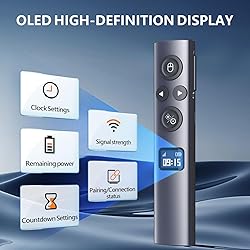
- N95s BLE is the latest design of Norwii Wireless Presenter. This Presentation Clicker with Digital Pointer and physical light is designed for PowerPoint Presentation on TV Screen and Projection Screen. The OLED display provides the status of the connection, signal strength, countdown timer, clock and the remaining battery. With the cool features of highlight, magnify, digital pointer, customized cursor/pointer, you can easily catch the eyes of your audience.
$104,56
44% OFF
$58,09
IMPORT EASILY
By purchasing this product you can deduct VAT with your RUT number
$104,56
44% OFF
$58,09
Envío gratis
 Llega en 5 a 12 días hábiles
Con envío
 Tienes garantia de entrega
Este producto viaja
de USA ![]() a tus manos en
a tus manos en
![]()
 a tus manos en

Conoce más detalles
OLED High-definition Display - Showing the signal strength, remaining power, Clock/Countdown Settings of vibration, Pairing/Connection status. Keep the presenter away from anxiey of power, lossing control of the pace of the presentation etc Countdown Vibration Alert - Set on the Presentation clicker or on the software. After successfully setting, the Presenter will be alerted 10, 5, 0 minutes before the end of the countdown vibration, help you master the pace of your presentation Works on both TV screen and projection screen - The features of digital pointer, magnify, highlight and customized icon are clearly visible on TV screen. The physical light is used to point on projection screen. class II, output power<1mW Multi-connection to choose - We offer 3 types of USB receiver: USB-A, USB-C, USB-A&C for customer to choose. There is only one type of receiver in a package, not two or more at the same time. Which USB receiver is included depends on the choice you made when ordering Mouse Cursor Control -The presenter's mouse functions include mouse left click, double click and mouse right click. The housing material is ABS and PC mixture which is friendly for signal transmission. It's modern slim design, light weight and comfortable for all day use. Instant Access to PowerPoint’s Built-in Virtual Pointer – No Installation Required (Only works in Full-Screen Mode on Windows) Compatibility - For details on feature compatibility, see the User Guide on the product details page.
Compra protegida
Disfruta de una experiencia de compra segura y confiable
![]() Garantía de entrega
Garantía de entrega
Con Tiendamia todas tus compras cuentan con Garantía de Entrega o devolución total de tu dinero.
Compras 100% seguras y garantizadas, para que pidas lo que sueñas y lo recibas del mundo a tu puerta.
Tarjetas de Débito y Crédito

Visa

Mastercard

American Express

Dinners

Discover

Alias
Pagos a través de PayPal
Compra procesada en dólares con dinero en cuenta o tarjetas internacionales.

PayPal

.svg)
