












 Garantía de entrega

Artículo: AMZ-B0F5BF5SMG
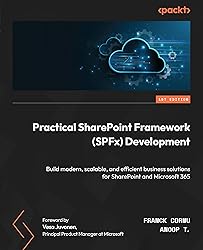
Practical SharePoint Framework (SPFx) Development: Build modern, scalable, and efficient business solutions for SharePoint and Microsoft 365
Format:
Kindle
Detalles del producto
Disponibilidad
Sin stock
Sin stock
Peso con empaque
0.84 kg
0.84 kg
Devolución
No
No
Condición
Nuevo
Nuevo
Producto de
Amazon
Amazon
Viaja desde
USA
USA
Sobre este producto
- Unlock the full potential of the SharePoint Framework with expert-led guidance, practical use cases, and insider tips to build high-quality business solutions beyond what official documentation offersFree with your book: DRM-free PDF version + access to Packt's next-gen ReaderKey FeaturesLearn how SPFx integrates with tools such as SharePoint, Teams, Outlook, and Viva within Microsoft 365Explore all the capabilities of the SharePoint Framework, including Web Parts, extensions, and library componentsDiscover best practices and advanced development techniques for SPFxPurchase of the print or Kindle book includes a free PDF eBookBook DescriptionThe SharePoint Framework (SPFx) has revolutionized how developers create custom solutions for Microsoft 365. Whether you're building Web Parts, extensions, or full-fledged applications, mastering SPFx is essential for delivering modern and scalable SharePoint solutions.Authored by experienced SPFx developers, this book serves as a comprehensive guide to developing with SPFx, offering practical examples, structured guidance, and best practices. You’ll start by understanding the Microsoft SharePoint and Microsoft 365 ecosystem before exploring hands-on development with SPFx. You’ll learn how to create Web Parts, work with the property pane, connect to APIs, deploy solutions, and implement different types of extensions. Additionally, the book covers debugging, testing, and upgrading solutions efficiently.By the end of this book, you’ll be able to confidently build, deploy, and manage SharePoint solutions using SPFx while leveraging community tools and libraries to enhance development efficiency.Email sign-up and proof of purchase requiredWhat you will learnSet up your machine and Microsoft 365 tenants to build SPFx solutionsUnderstand and build SPFx web parts and extensionsShare and reuse common code through SPFx library componentsConsume SharePoint, Microsoft Graph, Entra ID-secured, and anonymous APIsAutomate solutions deployment with Azure DevOps pipelines or GitHub actionsSpeed up your SPFx development with community tools and librariesPublish and manage solutions on SharePoint AppSourceWho this book is forThis book is ideal for experienced web developers looking to build modern SharePoint solutions using the SharePoint Framework. Basic knowledge of JavaScript, TypeScript, and Microsoft 365 will be beneficial. Familiarity with the SharePoint ecosystem will come in handy but is not essential. Existing SPFx developers who want to refresh their skills and get up to date with the latest features will also benefit from this book.Table of ContentsIntroducing Microsoft 365 and SharePoint Online for DevelopersEcosystem and Building Blocks around the SharePoint FrameworkYour First Steps with the SharePoint FrameworkPackt Product Management Solution: A Practical Use CaseBuilding a SharePoint Web PartWorking with the Property PaneConnecting to Other Web PartsDeploying a SharePoint Web PartBuilding a Form CustomizerBuilding an Application CustomizerBuilding a Field CustomizerBuilding a ListView Command SetBuilding a Search Query ModifierBuilding an Adaptive Card ExtensionDeploying ExtensionsSharing Your Code Using Library ComponentsDebugging Your Solution EfficientlyConsuming APIsWriting Tests with SPFxUpgrading Your SolutionsLeveraging Community Tools and LibrariesDevelopment Platforms

Producto prohibido
Este producto no está disponible
Este producto viaja
de USA ![]() a tus manos en
a tus manos en
![]()
 a tus manos en

Conoce más detalles
Highlight, take notes, and search in the book
Compra protegida
Disfruta de una experiencia de compra segura y confiable
![]() Garantía de entrega
Garantía de entrega
Con Tiendamia todas tus compras cuentan con Garantía de Entrega o devolución total de tu dinero.
Compras 100% seguras y garantizadas, para que pidas lo que sueñas y lo recibas del mundo a tu puerta.
Tarjetas de Débito y Crédito

Visa

Mastercard

American Express

Dinners

Discover

Alias
Pagos a través de PayPal
Compra procesada en dólares con dinero en cuenta o tarjetas internacionales.

PayPal

.svg)
 Garantía de entrega