










 Garantía de entrega





Artículo: AMZ-B0DK9FVCQ4
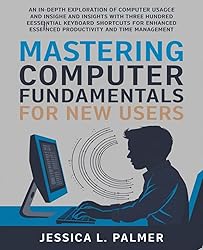
Mastering Computer Fundamentals for New Users: An In-Depth Exploration of Computer Usage and Insights with Over Three Hundred Essential Keyboard Shortcuts for Enhanced Productivity and Time Management
Detalles del producto
Disponibilidad
En stock
En stock
Peso con empaque
0.31 kg
0.31 kg
Devolución
Sí
Sí
Condición
Nuevo
Nuevo
Producto de
Amazon
Amazon
Viaja desde
USA
USA
Sobre este producto
- Mastering computer fundamentals can feel like a daunting task for new users, but it doesn't have to be. I remember when I first sat down in front of a computer, feeling overwhelmed by the array of buttons and screens. It was a mix of curiosity and intimidation. Over time, I learned that understanding the basics can open up a world of possibilities, making tasks easier and more efficient. At its core, mastering computer fundamentals involves getting comfortable with the operating system, understanding file management, and learning how to navigate the internet safely. For me, the first step was familiarizing myself with the desktop environment. I spent hours clicking around, exploring different applications, and figuring out how to customize my settings. It was a bit like learning to ride a bike; the more I practiced, the more confident I became. One of the most significant aspects of computer usage is mastering keyboard shortcuts. These little combinations of keys can save you a tremendous amount of time and effort. For instance, I found that using Ctrl+C to copy and Ctrl+V to paste made my work so much smoother. Over time, I compiled a list of over three hundred essential keyboard shortcuts that I still refer to today. Some of my favorites include Alt+Tab for switching between applications and Ctrl+Z for undoing mistakes—something I find invaluable during long writing sessions. Time management is another critical skill that goes hand in hand with computer proficiency. I’ve learned to use digital tools like calendar apps and task managers to keep my life organized. When I started using these tools, I noticed a significant improvement in my productivity. For example, setting reminders for deadlines helped me avoid last-minute scrambles and reduced my stress levels. As I continued my journey, I also realized the importance of online safety. The internet can be a wild place, and understanding how to protect myself from scams and malware became a priority. I began using antivirus software and learning about safe browsing practices. It's essential to be aware of what you click on and to keep your personal information secure. Collaboration tools have also changed the way we work. I remember working on group projects where we struggled to communicate effectively. Now, with tools like Google Docs and Slack, collaborating with others feels seamless. Everyone can contribute in real time, which not only enhances creativity but also builds a sense of teamwork. In conclusion, mastering computer fundamentals is a journey that requires patience and practice. It’s about finding what works for you and continuously learning. Whether it's through keyboard shortcuts, productivity tools, or online safety practices, each step you take will enhance your experience and efficiency. Embrace the learning process, and don't hesitate to reach out to others for help. After all, we’re all in this together, navigating the vast landscape of technology.
$38,29
55% OFF
$17,41
IMPORT EASILY
By purchasing this product you can deduct VAT with your RUT number
$38,29
55% OFF
$17,41
Envío gratis
 Llega en 5 a 12 días hábiles
Con envío
 Tienes garantia de entrega
Este producto viaja
de USA ![]() a tus manos en
a tus manos en
![]()
 a tus manos en

Compra protegida
Disfruta de una experiencia de compra segura y confiable
![]() Garantía de entrega
Garantía de entrega
Con Tiendamia todas tus compras cuentan con Garantía de Entrega o devolución total de tu dinero.
Compras 100% seguras y garantizadas, para que pidas lo que sueñas y lo recibas del mundo a tu puerta.
Tarjetas de Débito y Crédito

Visa

Mastercard

American Express

Dinners

Discover

Alias
Pagos a través de PayPal
Compra procesada en dólares con dinero en cuenta o tarjetas internacionales.

PayPal

.svg)
