









 Garantía de entrega





Artículo: AMZ-B084DFQT25
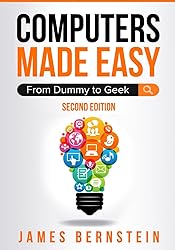
Computers Made Easy: From Dummy To Geek
Format:
Paperback
Detalles del producto
Disponibilidad
En stock
En stock
Peso con empaque
0.56 kg
0.56 kg
Devolución
Sí
Sí
Condición
Nuevo
Nuevo
Producto de
Amazon
Amazon
Viaja desde
USA
USA
Sobre este producto
- UPDATED FOR 2026 WITH NEW CONTENT AND WINDOWS 11 FEATURES. A Foundation in Computers & Software That's Easy to Understand. Take the mystery out of using a computer with Computers Made Easy: From Dummy to Geek — the ultimate beginner’s guide to understanding modern computing. Whether you’re new to technology or just want to sharpen your skills, this book gives you the confidence to use your computer efficiently and safely. Discover how to navigate Windows 10 and Windows 11, manage files, browse the web securely, and handle everyday tasks like email, cloud storage, and document creation. Each chapter is written in plain English with simple explanations, screenshots, and real-world examples that make learning easy and frustration-free. You’ll learn how to:Set up and customize your computer for everyday useOrganize files and folders for better productivityInstall and update software safelyProtect your system from viruses, scams, and online threatsUse the internet, cloud storage, and Wi-Fi with confidenceTroubleshoot common issues and keep your PC running smoothly Perfect for beginners, seniors, students, or anyone who wants to feel more comfortable using technology, this comprehensive guide turns confusion into clarity. If you’ve ever felt overwhelmed by computers or worried about making a mistake, this book shows you that anyone can become tech-savvy. With Computers Made Easy, you’ll gain the essential skills to navigate the digital world with ease and confidence. Introduction Chapter 1 – What is a Computer? Chapter 2 – Computer Peripherals Chapter 3 – Microsoft Windows Chapter 4 – Software Chapter 5 – Printers Chapter 6 – The Internet Chapter 7 – Email Chapter 8 – Office Productivity Software Chapter 9 – Antivirus and Antispyware Software Chapter 10 – Avoiding Scams Chapter 11 – Error Messages, Crashes, & Troubleshooting Chapter 12 – Wi-Fi and Internet Troubleshooting Chapter 13 – Backup and Protection Chapter 14 - Security Chapter 15 – Cloud Storage Chapter 16 – Basic Networking What’s Next?About the AuthorJames Bernstein has been working with various companies in the IT field for over 20 years, managing technologies such as SAN and NAS storage, VMware, backups, Windows Servers, Active Directory, DNS, DHCP, Networking, Microsoft Office, Exchange, and more.He has obtained certifications from Microsoft, VMware, CompTIA, ShoreTel, and SNIA, and continues to strive to learn new technologies to further his knowledge on a variety of subjects.He is also the founder of the website OnlineComputerTips.com, which offers its readers valuable information on topics such as Windows, networking, hardware, software, and troubleshooting. James writes much of the content himself and adds new content on a regular basis. The site was started in 2005 and is still going strong today.
$38,84
31% OFF
$26,79
IMPORT EASILY
By purchasing this product you can deduct VAT with your RUT number
$38,84
31% OFF
$26,79
Envío gratis
 Llega en 5 a 12 días hábiles
Con envío
 Tienes garantia de entrega
Este producto viaja
de USA ![]() a tus manos en
a tus manos en
![]()
 a tus manos en

Compra protegida
Disfruta de una experiencia de compra segura y confiable
![]() Garantía de entrega
Garantía de entrega
Con Tiendamia todas tus compras cuentan con Garantía de Entrega o devolución total de tu dinero.
Compras 100% seguras y garantizadas, para que pidas lo que sueñas y lo recibas del mundo a tu puerta.
Tarjetas de Débito y Crédito

Visa

Mastercard

American Express

Dinners

Discover

Alias
Pagos a través de PayPal
Compra procesada en dólares con dinero en cuenta o tarjetas internacionales.

PayPal

.svg)
