







 Garantía de entrega




Artículo: AMZ-B07F23S8SW
AMGUR
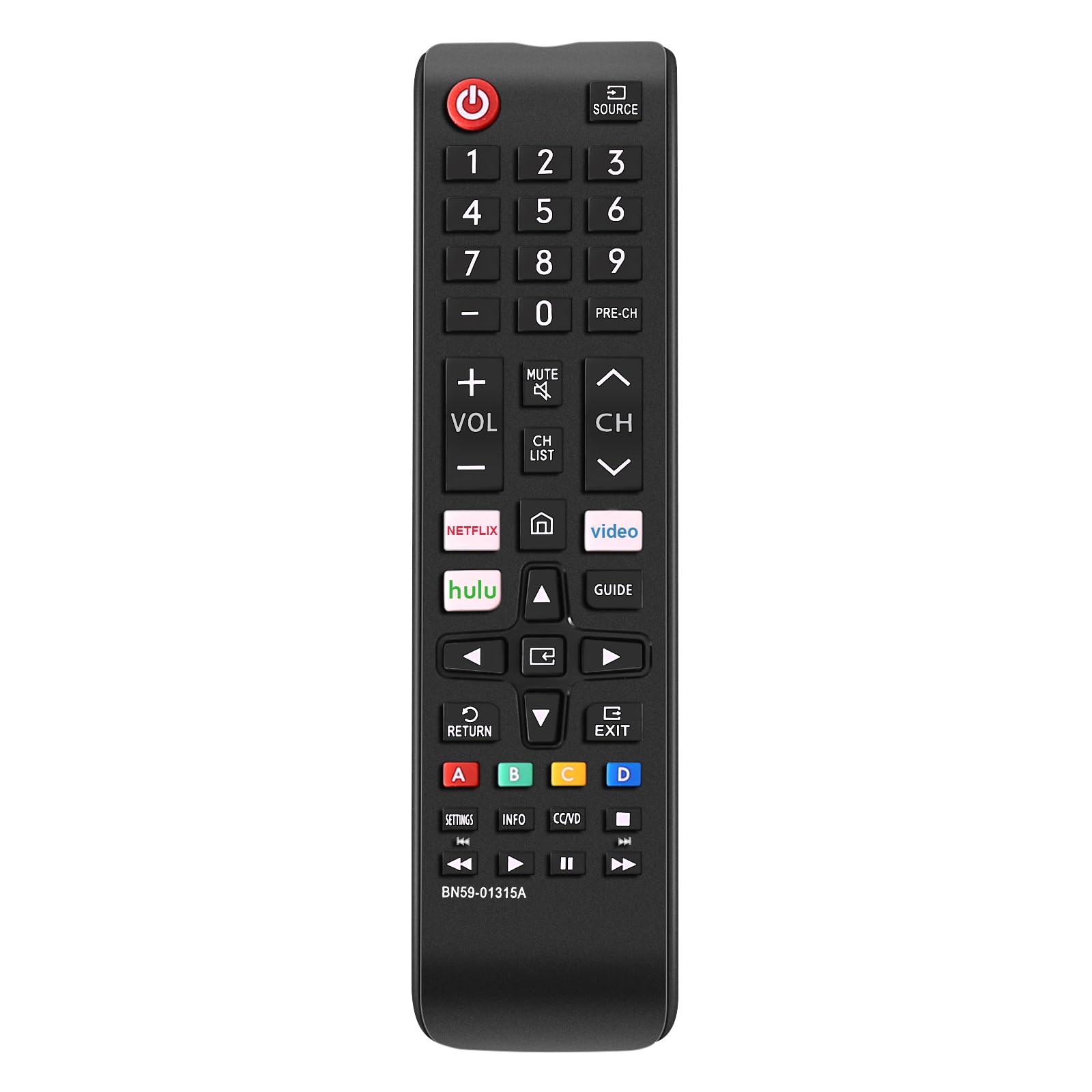
Replacement Remote Control for Dish Network 20.1 IR Satellite Receiver
Detalles del producto
Disponibilidad
En stock
En stock
Peso con empaque
0.20 kg
0.20 kg
Devolución
No
No
Condición
Nuevo
Nuevo
Producto de
Amazon
Amazon
Viaja desde
USA
USA
Sobre este producto
- Compatible with Dish Network 20.1 TV1 #1 Satellite Receiver: VIP 622, 722, 222, 522, 625, 942, 201, 211, 301, 311, 322, 351, 1000, 2200, 2700, 2800, 2900, 3000, 3200, 3700, 3800, 3900, 4000, 4100, 9200, 5200, 6000, 6100, 6131, 6400, 9242 HD PVR etc. IR Signals Only and Just Compatible for TV 1 Specification: Colour: Black Material: ABS Applies to: For Dish 1 TV box Power supply: 2 x AA batteries (not included) Frequency: 433 MHz Product size: 21 * 5.5 * 3cm Features: - New replaced remote, but same function as the original one. - No programming and manual needed. - Perfectly replace your broken or old one. Packing list: 1 x Remote Control 1 x Manual 1 x Sticker This Dish Network remote control can only use IR signals. And it needs a clear line of sight between the remote and the receiver. Please make sure there is no obstacle when using the Dish Network replacement remote. Kindly Note: This Dish Network 20.1 TV1 #1 Satellite Receiver IR Remote Control compatible with most Dish Network and Bell Satellite Receivers. But it may not be able to control your other devices, such as LED TVs and speakers. ADDITIONALLY: Although your remote may already be configured to work with your DISH receiver, there's a chance that you may need to program it. To test whether this is necessary, press the POWER button on the receiver to turn it on, and follow this up by turning on your HDTV or other television. Press the GUIDE button on your remote, and if the programming guide pops up, you can skip to "Programming 20.1 IR Remote for Other Devices." If the guide doesn't show up, press the SYSTEM INFO button that's located on your DISH receiver once. This will bring up the System Info screen. On your remote, press the SAT button, which should illuminate the SAT light. Press the RECORD button once. This will again cause the SAT button to light up. After entering the three-digit code, the mode button you're programming will light up. Press the POUND (#) button once. This should cause the specific mode button to blink three times. Your device should now be configured. Test this by pressing the VOLUME, PLAY, or other buttons related to the device.
$45,77
31% OFF
$31,57
IMPORT EASILY
By purchasing this product you can deduct VAT with your RUT number
$45,77
31% OFF
$31,57
Envío gratis
 Llega en 16 a 26 días hábiles
Con envío
 Tienes garantia de entrega
Este producto viaja
de USA ![]() a tus manos en
a tus manos en
![]()
 a tus manos en

Conoce más detalles
Brand new Replacement Remote Control for Dish 20.0 20.1 TV1 #1 Satellite Receiver. Our remotes are fully tested and work great No programming or paring needed. Just install new 2 AAA batteries and you're good to go High quality, feel comfortable to hold the product, sensitive keys. Store's receiver settings in the remote, and remote settings in the receiver New replaced remote; No program required; just need install new battery to use Universal IR Remote Control for Dish 20.1 Network Dish-Network IR Satellite Receiver Device Code W/SAT TV DVD models VIP 622 722 222 522 625 942 201 211 301 311 322 351 1000 2200 2700 2800 2900 3000 3200 3700 3800 3900 4000 4100 9200 5200 6000 6100
Compra protegida
Disfruta de una experiencia de compra segura y confiable
![]() Garantía de entrega
Garantía de entrega
Con Tiendamia todas tus compras cuentan con Garantía de Entrega o devolución total de tu dinero.
Compras 100% seguras y garantizadas, para que pidas lo que sueñas y lo recibas del mundo a tu puerta.
Tarjetas de Débito y Crédito

Visa

Mastercard

American Express

Dinners

Discover

Alias
Pagos a través de PayPal
Compra procesada en dólares con dinero en cuenta o tarjetas internacionales.

PayPal

.svg)
